
Travel and Expense Management Software
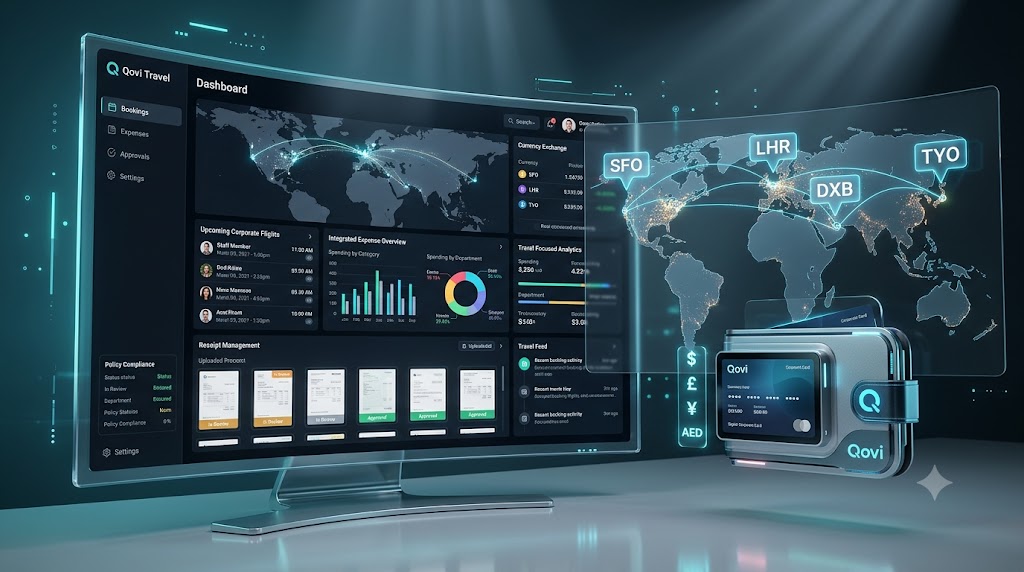
Managing a travel business involves much more than preparing attractive itineraries. A travel company must handle customer enquiries, quotations, hotel bookings, vehicle arrangements, supplier payments, trip operations, business expenses, GST invoices and customer communication—often at the same time.
When these activities are managed through spreadsheets, WhatsApp messages, notebooks and separate applications, important information can easily be missed. It becomes difficult to monitor pending payments, supplier expenses, upcoming trips and the actual profitability of each booking.
Qovi Travel is travel and expense management software designed to bring these activities into one connected platform.
It helps travel agencies, tour operators and corporate travel teams manage their complete workflow—from the first customer enquiry to the final accounts.
What Does QOVI Mean?
QOVI means “Quick Operate with Value Intelligence.”
The name represents the main purpose of the software:
- Quick: Complete daily travel operations faster.
- Operate: Manage enquiries, itineraries, bookings, suppliers, payments and trips.
- Value: Reduce repetitive work and improve customer service.
- Intelligence: Use connected business information to make better operational and financial decisions.
Qovi Travel has been developed to help a travel business operate quickly while getting greater value from its customer, booking and expense data.
What Is Travel and Expense Management Software?
Travel and expense management software is a business platform that combines travel operations with financial tracking.
Traditional travel management software may concentrate mainly on bookings and itineraries. Qovi Travel goes further by connecting operational activities with payments, supplier costs, GST billing, expenses and profitability reports.
A travel company can therefore use one system to manage:
- Customer enquiries
- Follow-up activities
- Day-wise itineraries
- Tour quotations
- Confirmed bookings
- Customer payments
- Supplier information
- Hotels, vehicles and drivers
- Trip operations
- GST invoices
- Office and booking-related expenses
- Outstanding balances
- Booking profitability
- Customer-facing travel websites
- Staff access and business reports
Who Can Use Qovi Travel?
Qovi Travel is suitable for different types of travel businesses.
Travel agencies
Travel agencies can manage customer enquiries, quotations, bookings, payments and customer records from one workspace.
Tour operators
A tour operator can build itineraries, arrange hotels and vehicles, monitor supplier confirmations and follow every active trip.
Destination management companies
Destination management companies can maintain destination information, tour packages, local suppliers, hotel partners, vehicles, drivers and operational instructions.
Corporate travel service providers
Companies handling business travel can use the platform as corporate travel management software for organised booking records, service invoices, expenses and payment tracking.
Car-rental and ground-handling companies
Transport providers can maintain vehicle, driver and car-rental information while tracking service dates, destinations, kilometres, rates and customer billing.
Important Features of Qovi Travel
1. Enquiry and customer management
Every travel booking normally begins with an enquiry. Qovi Travel allows staff to record customer details, destination, travel dates, number of travellers and other requirements.
Website enquiries can also enter the system directly, helping the agency avoid losing leads across different communication channels.
The team can maintain a complete customer history and create multiple itineraries for the same enquiry when a customer wants different travel options.
2. Day-wise itinerary builder
Creating a professional itinerary manually can take considerable time. Qovi Travel provides an itinerary builder for preparing day-wise travel programmes.
An itinerary can include:
- Arrival and departure dates
- Destination information
- Number of adults and children
- Day-wise activities
- Hotel and transport details
- Inclusions and exclusions
- Important notes
- Package price options
- Standard, Deluxe, Super Deluxe and Premium categories
The finished itinerary can be saved, edited and exported as a customer-ready PDF.
3. Quotations and package pricing
Once the itinerary is ready, the agency can prepare a commercial quotation containing the selected package, price, services, taxes and applicable terms.
The quotation remains connected to the original enquiry and itinerary. This reduces typing errors and makes it easier to convert an accepted quotation into a confirmed booking.
4. Booking and payment management
When the customer accepts a quotation, it can move into the booking workflow.
The travel software can record:
- Booking confirmation
- Advance payment
- Part-payments
- Payment dates
- Payment methods
- Reference numbers
- Outstanding balance
- Customer receipts
The agency can therefore check how much has been received and how much remains payable without searching through bank messages or handwritten records.
5. GST invoices
Qovi Travel supports GST-ready invoicing for Indian travel businesses.
Depending on the transaction, an invoice can show:
- CGST and SGST
- IGST
- Customer GSTIN
- Service descriptions
- Taxable amount
- Tax amount
- Total invoice value
- Payment details
- Authorised signatory information
Invoices can be edited when an authorised user needs to correct a typing mistake before issuing the final document.
6. Expense management
Expense control is one of the most important benefits of travel and expense management software.
Qovi Travel can record booking-related and general business expenses under heads such as:
- Hotel
- Transport
- Guide
- Activities
- Meals
- Salary
- Office expenses
- Marketing
- Other expenses
Expenses may be connected to a particular booking or recorded as general business costs. This gives the agency a clearer understanding of tour cost, office expenditure and booking profitability.
7. Supplier management
Travel agencies regularly work with hotels, transport providers, guides and other service suppliers.
Qovi Travel maintains these supplier records in a central system. Staff can select saved suppliers while preparing and operating a trip instead of searching through old messages or spreadsheets.
8. Hotel, vehicle and driver management
The platform can maintain information about:
- Hotels and destinations
- Room categories
- Meal plans
- Vehicles
- Registration numbers
- Drivers
- Driver mobile numbers
- Car-rental vendors
These saved records can be used during trip operations, improving consistency and reducing repetitive data entry.
9. Trip Operations Tracker
The Trip Operations Tracker helps the agency monitor saved trips according to their current stage.
Trips can be viewed as:
- Upcoming
- Running
- Completed
Operations staff can see the booking number, customer, destination, travel dates, assigned hotels, vehicles and other arrangements. They can also monitor the current day of a running trip and update its operational status.
This makes Qovi Travel useful as tour operator software, not merely as an itinerary generator.
10. Reports and profitability
A travel business must understand both sales and costs.
Qovi Travel provides connected information for monitoring:
- Sales
- Customer dues
- Payments received
- Booking expenses
- General expenses
- Supplier costs
- Booking profitability
- Upcoming travel
- Completed operations
These reports help business owners make decisions using actual operational information.
11. Public website and content management
Eligible Qovi Travel plans can include a customer-facing website.
An agency can publish:
- Destinations
- Tour packages
- Car-rental services
- Contact details
- Enquiry forms
- Business information
Enquiries submitted through the public website can enter the agency’s back-office workflow.
The white-label option can provide the agency’s own domain, branding and API-based website integration while Qovi Travel powers the operational system behind it.
12. Staff accounts and secure access
A growing travel business may have different employees handling sales, operations, accounts and administration.
Qovi Travel supports staff accounts and controlled access, allowing the agency to manage its team without sharing one common password with everyone.
How to Operate Qovi Travel
Qovi Travel follows a straightforward operational workflow.
Step 1: Create the agency workspace
The agency registers its business and creates the owner account. During the free-trial period, the team can practise using the main features before purchasing a subscription.
Step 2: Complete business settings
Enter the agency’s:
- Business name
- Address
- Email and mobile number
- GST details
- Bank or payment information
- Company logo
- Authorised signatory information
These details can then appear on relevant documents and PDFs.
Step 3: Add master records
Before handling regular bookings, add frequently used information such as:
- Destinations
- Hotels
- Room types
- Suppliers
- Vehicles
- Drivers
- Car-rental services
- Tour packages
Creating these records once makes future work faster.
Step 4: Record a customer enquiry
Enter the customer’s contact information, travel destination, dates, passenger count and requirements.
This creates a central enquiry record for follow-up and itinerary preparation.
Step 5: Build the itinerary
Open the enquiry and prepare a day-wise itinerary. Add hotels, sightseeing, transport, activities, inclusions, exclusions and different price categories.
Save the itinerary and export the PDF when it is ready to share.
Step 6: Generate the quotation
Create a quotation from the selected itinerary. Verify the services, price, GST treatment and commercial terms before sending it to the customer.
Step 7: Confirm the booking
After the customer approves the quotation, convert it into a booking. Record any advance payment and maintain the remaining balance.
Step 8: Arrange trip operations
Assign hotels, room types, vehicles, drivers and service dates. Track supplier confirmations and add guest instructions or internal operational notes.
The Trip Operations Tracker will help the team identify upcoming, running and completed trips.
Step 9: Record expenses
Enter every booking-related supplier cost and any general office expenditure under the correct expense head.
This step is essential for obtaining meaningful profit and expense reports.
Step 10: Create the GST invoice
Prepare the customer invoice using the booking information. Apply CGST and SGST or IGST as appropriate and verify the invoice before issuing the PDF.
Step 11: Monitor payments and reports
Record every payment with its date and reference. Regularly review outstanding customer balances, expenses, supplier payments and booking profitability.
Benefits of Using Qovi Travel
Less repetitive work
Customer and booking information moves through the connected workflow instead of being entered separately in multiple places.
Better financial control
Payments, expenses, GST invoices and outstanding balances are maintained alongside the booking information.
Improved trip visibility
The team can identify which trips are upcoming, currently running or completed.
Faster customer service
Staff can find customer, itinerary, quotation and payment information without searching through unrelated files and messages.
Professional documents
The agency can issue branded itineraries, quotations, receipts, vouchers and GST invoices.
Scalable operations
The platform can support a small travel agency initially and expand through additional users, storage, websites, custom domains and API access.
Travel Management Software vs Separate Applications
Using separate software for CRM, itineraries, invoicing, expenses and websites may create fragmented information.
A connected travel management software platform provides several advantages:
- A single source of business information
- Consistent customer details
- Faster quotation-to-booking conversion
- Connected payment and expense records
- Easier staff coordination
- More accurate reports
- Better control over business operations
For tour operators, this integration is particularly important because one confirmed booking may involve multiple hotels, vehicles, drivers, suppliers and payments.
Is Qovi Travel Suitable for Corporate Travel Management?
Yes. Qovi Travel can support businesses and service providers that need organised travel records, invoices, payment histories and expense tracking.
As corporate travel management software, it can help maintain customer information, trip arrangements, transport services, hotel details, billing and expenses in one place.
Additional corporate approval workflows and policy-based controls can also be introduced as the platform expands.
Start With a Seven-Day Free Trial
Qovi Travel offers a seven-day free trial so that a travel business can understand the workflow before purchasing a subscription.
During the trial, users can practise:
- Creating enquiries
- Building itineraries
- Preparing quotations
- Confirming bookings
- Recording payments
- Entering expenses
- Managing trip operations
- Generating business documents
No payment card is required to start the trial. After seven days, the agency can select a suitable paid subscription to continue using the platform.
Start your Qovi Travel free trial
Frequently Asked Questions
What is travel and expense management software?
It is software that combines travel operations—such as enquiries, itineraries, bookings and trip management—with financial activities such as payments, supplier expenses, GST invoices and profitability tracking.
Is Qovi Travel only for large travel agencies?
No. Qovi Travel provides subscription options suitable for small agencies, growing tour operators and businesses requiring white-label facilities.
Can I create day-wise itineraries?
Yes. You can prepare and save day-wise itineraries containing destinations, activities, hotels, transport, inclusions, exclusions, notes and package prices.
Can Qovi Travel generate GST invoices?
Yes. The system supports GST invoicing with CGST, SGST and IGST, depending on the applicable transaction.
Does it track travel expenses?
Yes. Expenses can be recorded under different heads and connected with a booking where appropriate.
Can I track running tours?
Yes. The Trip Operations Tracker separates upcoming, running and completed trips and provides operational information for each saved trip.
Can I use my own travel website?
Growth plans can include a public website, while white-label facilities may include your own domain, branding and API integration.
Is a free trial available?
Yes. New agencies can start a seven-day free trial without providing payment-card details.
Conclusion
Modern travel businesses need more than basic booking software. They require a connected platform that handles customers, itineraries, quotations, operations, payments, expenses, GST invoices and business reports.
Qovi Travel combines these functions in one practical travel and expense management software platform.
With QOVI—Quick Operate with Value Intelligence—travel agencies and tour operators can reduce repetitive administration, improve financial visibility and deliver a more organised customer experience.
Whether you need travel management software, tour operator software, corporate travel management software or flexible travel software for your growing agency, Qovi Travel provides a connected foundation for your business.