
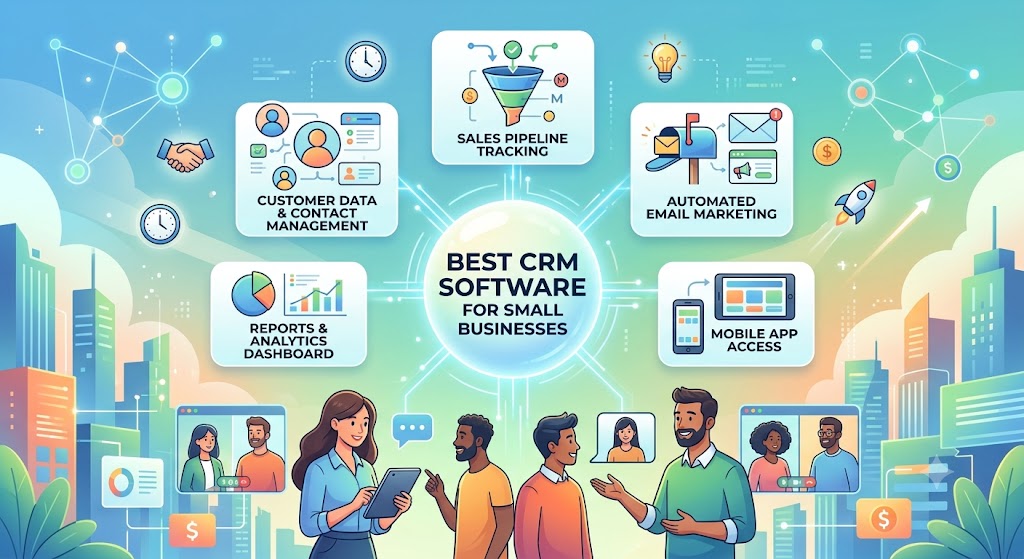
Best CRM Software for Small Businesses
Running a small business often means managing sales, marketing, customer support, follow-ups, and daily operations with a relatively small team.
As the number of leads and customers grows, keeping track of everything through spreadsheets, WhatsApp messages, emails, and notes quickly becomes difficult.
That’s where CRM software can make a big difference.
A Customer Relationship Management (CRM) system helps businesses organize leads, manage customer interactions, automate follow-ups, track sales opportunities, and build stronger customer relationships.
But with dozens of CRM platforms available, which one should you choose?
In this guide, we’ll look at some of the best CRM software for small businesses , their strengths, and what type of business each platform is best suited for.
What Is CRM Software?
CRM stands for Customer Relationship Management.
CRM software provides one central place where a business can manage information about prospects and customers.
Instead of having customer information scattered across spreadsheets, inboxes, notebooks, and messaging apps, your team can maintain organized customer records inside the CRM.
A typical CRM can help you manage:
- Leads and contacts
- Customer communication
- Sales pipelines
- Deals and opportunities
- Follow-up tasks
- Emails
- Sales activities
- Reports and analytics
- Marketing campaigns
- Customer support
For example, imagine someone fills out a contact form on your website.
Without a CRM, you might receive an email, manually add the prospect to a spreadsheet, remind yourself to follow up, and update the spreadsheet whenever something happens.
With the right CRM, much of this process can be organized or automated.
The lead enters your system, gets assigned to the appropriate salesperson, follow-up activities can be scheduled, and every interaction remains attached to the customer’s record.
Why Do Small Businesses Need a CRM?
When you’re managing ten customers, remembering conversations might be easy.
When you’re managing hundreds or thousands of prospects and customers, it becomes much harder.
Important follow-ups get missed. Leads become cold. Two team members may contact the same prospect without realizing it. Customer information gets buried in email threads.
A CRM creates a structured system for managing those relationships.
For small businesses, some of the biggest benefits include better organization, fewer missed follow-ups, improved sales visibility, automation, and more consistent customer experiences.
It also gives business owners a clearer picture of what’s happening in their sales pipeline.
Instead of asking:
“How many leads are we currently talking to?”
You can open your CRM and see the answer.
Best CRM Software for Small Businesses
There isn’t one CRM that’s perfect for every business.
A five-person marketing agency may need something completely different from an e-commerce company, SaaS startup, real estate agency, or local service business.
Here are some CRM platforms worth considering.
1. HubSpot CRM — Best Overall for Small Businesses
HubSpot is one of the most recognizable CRM platforms and is particularly attractive to small businesses because companies can start with its free CRM tools and add more functionality as they grow.
Its CRM brings contact management, deal tracking, sales activities, marketing tools, customer service features, and reporting into the broader HubSpot platform.
Best for: Small businesses looking for an easy-to-adopt CRM with room to grow.
Key features:
- Contact management
- Sales pipeline management
- Deal tracking
- Email tracking
- Meeting scheduling
- Forms
- Marketing tools
- Customer service functionality
- Reporting dashboards
- Integrations with popular business tools
Pros:
HubSpot is relatively approachable for businesses implementing a CRM for the first time. Its ecosystem also means businesses can expand into marketing automation, sales tools, customer service, content management, and other capabilities without immediately moving to another platform.
Cons:
While getting started can be affordable, advanced features and larger implementations can become significantly more expensive.
Verdict: HubSpot is one of the strongest starting points for small businesses that want a CRM they can continue using as their marketing and sales operations mature.
2. Zoho CRM — Best Value for Growing Businesses
Zoho CRM is a popular choice among small and medium-sized businesses looking for substantial functionality without immediately moving into enterprise-level CRM pricing.
It’s especially appealing to companies already using other products in the Zoho ecosystem.
Best for: Small and growing businesses that want strong functionality at a competitive price.
Key features:
- Lead management
- Contact management
- Deal tracking
- Workflow automation
- Sales forecasting
- Analytics
- Email integration
- Customization
- AI-assisted functionality on eligible plans
Pros:
Zoho CRM offers a broad set of features and can be customized for different sales processes. The larger Zoho ecosystem is another advantage for businesses that want accounting, email, project management, customer support, and other tools from the same provider.
Cons:
The number of options and settings can make the platform feel more complicated than some simpler CRMs.
Verdict: Zoho CRM is a strong option for cost-conscious businesses that still want considerable flexibility and automation.
3. Pipedrive — Best for Sales Pipeline Management
If your main goal is simply to manage your sales pipeline better, Pipedrive deserves a close look.
Its interface is centered around deals moving through different sales stages, making it easy for sales teams to understand where each opportunity stands.
Best for: Sales-focused small businesses and teams.
Key features:
- Visual sales pipelines
- Lead and deal management
- Activity tracking
- Email synchronization
- Workflow automation
- Sales reporting
- Custom pipeline stages
- Integrations
Pros:
Pipedrive’s visual approach makes sales pipelines easy to understand. Teams can quickly identify deals that require attention and see what needs to happen next.
Cons:
Businesses looking for a broad all-in-one marketing, sales, and customer service ecosystem may prefer alternatives such as HubSpot or Zoho.
Verdict: If your biggest CRM requirement is managing deals and improving sales follow-ups, Pipedrive is one of the most straightforward options.
4. Freshsales — Best for Sales Automation
Freshsales, part of the Freshworks ecosystem, combines contact management and sales pipeline functionality with automation and communication tools.
It can be particularly useful for small sales teams that want to reduce repetitive administrative work.
Best for: Small businesses looking for CRM and sales automation features.
Key features:
- Contact and account management
- Deal management
- Sales pipelines
- Email functionality
- Workflow automation
- Lead scoring capabilities
- Reporting
- AI-powered features on supported plans
Pros:
Freshsales provides a good balance between usability and automation. Businesses using other Freshworks products may also benefit from staying within the same ecosystem.
Cons:
Some of the more sophisticated functionality is reserved for higher-tier plans.
Verdict: Freshsales is worth considering if automation and sales productivity are major priorities.
5. Bigin by Zoho CRM — Best for Very Small Businesses
Not every small company needs a complex CRM.
Bigin is designed specifically for smaller businesses that want to move beyond spreadsheets without dealing with an overwhelming enterprise-style CRM.
It focuses heavily on pipeline-based customer management.
Best for: Freelancers, startups, micro-businesses, and small teams adopting CRM for the first time.
Key features:
- Pipeline management
- Contact management
- Activities and tasks
- Workflow automation
- Email integration
- Forms
- Mobile apps
Pros:
Bigin’s relative simplicity makes it easier for small teams to start using a structured CRM without implementing dozens of features they don’t need.
Cons:
Companies with sophisticated sales, marketing, or reporting requirements may eventually outgrow it.
Verdict: Bigin can be an excellent stepping stone between spreadsheets and a full-featured CRM.
6. monday CRM — Best for Customizable Workflows
Businesses already familiar with monday.com’s flexible work-management approach may find monday CRM particularly attractive.
Rather than forcing every company into the same rigid sales process, it provides substantial flexibility for designing workflows around the way a team actually works.
Best for: Teams that prioritize flexibility and customization.
Key features:
- Lead management
- Deal pipelines
- Contact management
- Custom dashboards
- Workflow automation
- Email integration
- Activity management
- Reporting
Pros:
Its flexibility makes it useful for companies whose sales process doesn’t fit neatly into a traditional CRM structure.
Cons:
Highly customizable platforms require thoughtful setup. Without a clear process, businesses can create unnecessarily complicated workflows.
Verdict: monday CRM is particularly compelling for teams that want their CRM to adapt to their workflow rather than the other way around.
7. Salesforce — Best for Businesses Planning Significant Growth
Salesforce is one of the world’s best-known CRM platforms.
It’s often associated with large organizations, but Salesforce also offers solutions that can serve smaller and growing businesses.
Its biggest strengths are customization, integrations, automation, and the depth of its CRM ecosystem.
Best for: Ambitious businesses expecting complex CRM requirements as they scale.
Key features:
- Lead and opportunity management
- Account and contact management
- Sales automation
- Reporting and dashboards
- AI capabilities
- Extensive integrations
- Custom applications and workflows
Pros:
Salesforce is extremely powerful and can support sophisticated sales organizations.
Cons:
For a small company with straightforward requirements, the platform can be more complex—and potentially more expensive—than necessary.
Verdict: Salesforce makes the most sense when your business needs advanced CRM capabilities or expects its sales operations to become considerably more complex.
Quick Comparison: Best CRM for Small Businesses
| CRM | Best For | Ease of Use | Automation | Scalability |
|---|---|---|---|---|
| HubSpot | Overall small-business CRM | Excellent | Strong | Excellent |
| Zoho CRM | Value and customization | Good | Strong | Excellent |
| Pipedrive | Sales pipeline management | Excellent | Good | Good |
| Freshsales | Sales automation | Good | Strong | Good |
| Bigin | Very small businesses | Excellent | Basic–Good | Moderate |
| monday CRM | Custom workflows | Good | Strong | Good |
| Salesforce | Scaling sales organizations | Moderate | Excellent | Excellent |
How to Choose the Right CRM for Your Small Business
Don’t choose CRM software simply because it has the longest feature list.
Choose the CRM that solves the problems your business actually has.
Before purchasing a platform, consider these factors.
1. Ease of Use
A powerful CRM is useless if your team refuses to use it.
Look for a platform that’s intuitive enough for your employees to update consistently.
CRM adoption is often more important than having every possible feature.
2. Your Sales Process
Think about how leads currently become customers.
For example:
New lead → Contacted → Meeting → Proposal → Negotiation → Won/Lost
Your CRM should make this process easy to visualize and manage.
3. Automation
Automation can save small businesses a significant amount of administrative work.
Look for features that can automate tasks such as:
- Assigning leads
- Creating follow-up tasks
- Sending emails
- Updating deal stages
- Triggering notifications
- Recording customer activities
The right automation allows your team to spend more time talking to customers and less time maintaining spreadsheets.
4. Integrations
Your CRM shouldn’t operate in isolation.
Check whether it connects with the tools your business already uses, such as:
- Gmail or Outlook
- Google Workspace
- Microsoft 365
- Accounting software
- Marketing platforms
- Customer support software
- Website forms
- Calendars
- Communication tools
Good integrations reduce duplicate data entry and create a more connected workflow.
5. Mobile Access
If your salespeople regularly work outside the office, a good mobile CRM app can be important.
Your team should ideally be able to access customer information, update deals, add notes, and manage activities from their phones.
6. Reporting
As your business grows, reporting becomes increasingly valuable.
A CRM can help answer questions such as:
- How many new leads did we generate?
- Where are our best leads coming from?
- What’s our lead-to-customer conversion rate?
- How much revenue is currently in the pipeline?
- Which deals are likely to close?
- Which salesperson is performing best?
- Where are prospects dropping out of the funnel?
These insights can help you make better sales and marketing decisions.
7. Total Cost
Don’t evaluate CRM software based solely on its starting monthly price.
Consider the total cost as your company grows.
Ask:
- Is pricing per user?
- Which features require higher plans?
- Are there limits on contacts?
- Does marketing automation cost extra?
- Will you need paid integrations?
- What happens when your team doubles?
A CRM that looks inexpensive today can become considerably more expensive as your requirements increase.
Free CRM vs Paid CRM: Which Should You Choose?
For many small businesses, starting with a free CRM can make sense.
A free CRM may be enough if you primarily need contact management, a simple sales pipeline, basic activity tracking, and a centralized customer database.
However, businesses often move to paid plans when they need more advanced capabilities such as automation, detailed reporting, sophisticated permissions, lead scoring, advanced marketing tools, or additional customization.
The best approach is usually to start with the functionality you genuinely need rather than paying for features you might use someday.
Which CRM Is Best for a Small Business?
For many businesses, HubSpot is a strong overall choice, particularly if you want to start with basic CRM functionality and potentially expand into a broader marketing, sales, and customer service platform later.
However, other options may be better depending on your priorities:
Choose Zoho CRM if you want strong value and customization.
Choose Pipedrive if sales pipeline management is your biggest priority.
Choose Freshsales if you want sales automation and productivity tools.
Choose Bigin if you’re a very small company moving away from spreadsheets.
Choose monday CRM if customizable workflows are important.
Choose Salesforce if you expect complex CRM requirements and substantial growth.
Ultimately, the best CRM isn’t necessarily the platform with the most features.
It’s the one your team will actually use consistently.
Frequently Asked Questions
What is the best CRM for a small business?
There is no universal best CRM, but HubSpot, Zoho CRM, Pipedrive, Freshsales, Bigin, monday CRM, and Salesforce are all worth evaluating. The best option depends on your budget, sales process, team size, automation requirements, and existing software stack.
Is there a free CRM for small businesses?
Yes. Several CRM providers offer free plans or free CRM functionality, although features and usage limits vary. Always check the provider’s latest pricing page before making a decision.
Can a small business use CRM software?
Absolutely. In fact, implementing a CRM early can prevent customer information from becoming fragmented as the business grows.
Is Excel a CRM?
Excel can be used to maintain a basic customer or lead database, but it isn’t a dedicated CRM. It lacks many CRM capabilities such as automated activity tracking, pipeline management, workflow automation, communication history, permissions, and integrated reporting.
When should a small business start using a CRM?
A good time to introduce a CRM is when managing prospects through spreadsheets, emails, and personal reminders starts creating missed follow-ups or making it difficult to understand your sales pipeline.
You don’t necessarily need to wait until your company is large. Starting with a simple CRM early can make scaling easier.
Final Thoughts
CRM software can become one of the most valuable systems inside a growing small business.
The right CRM gives your team a central place to manage prospects, customer relationships, follow-ups, sales opportunities, and performance data.
But avoid selecting software based purely on popularity.
First, map your sales process. Identify the problems you want the CRM to solve. Then shortlist two or three platforms and test them with real-world workflows before committing.
For a typical small business, HubSpot, Zoho CRM, and Pipedrive are three excellent places to start your comparison.
Your goal isn’t to find the most complicated CRM.
It’s to find the simplest CRM that helps your team stay organized, follow up consistently, close more opportunities, and deliver a better customer experience.