
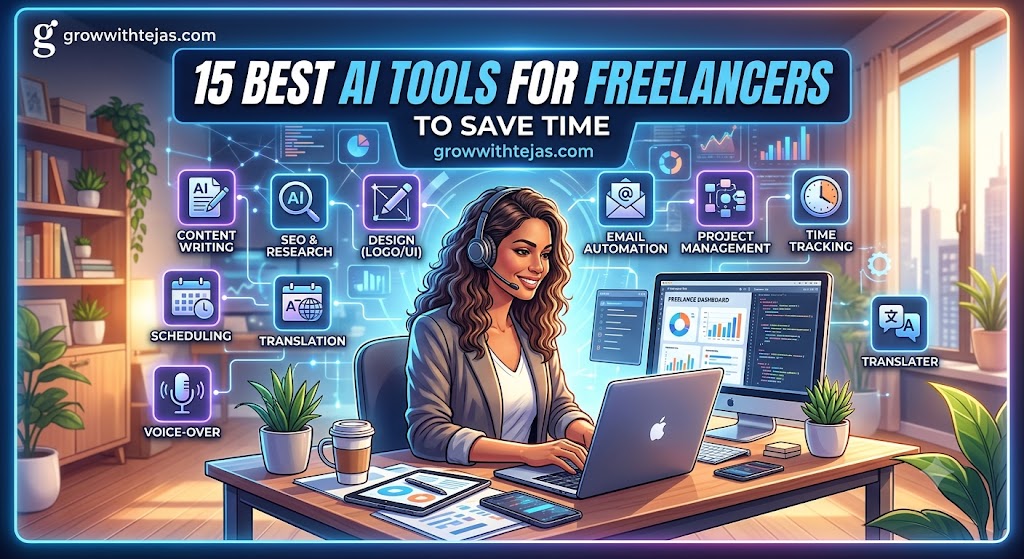
Best AI Tools for Freelancers to Save Time
Freelancing gives you freedom, flexibility, and the opportunity to work with clients from anywhere. But there’s another side to it.
As a freelancer, you’re not only doing client work.
You’re also writing emails, researching topics, attending meetings, creating proposals, managing projects, generating invoices, following up with clients, creating social media content, and handling dozens of small administrative tasks.
That’s where AI can make a real difference.
The best AI tools for freelancers to save time can automate repetitive tasks, speed up research, improve your writing, organize your work, and help you accomplish more without extending your working hours.
But with hundreds of AI tools available today, which ones are actually useful for freelancers?
In this guide, we’ll look at some of the best AI tools freelancers can use in 2026, what each tool is good at, and how you can incorporate them into your workflow.
Why Should Freelancers Use AI Tools?
Time is one of the most valuable resources for a freelancer.
If you charge ₹1,000 per hour and spend five hours every week on repetitive administrative work, you’re potentially losing ₹5,000 worth of productive time.
AI won’t magically run your freelance business for you. But it can reduce the amount of time you spend on repetitive tasks.
For example, AI tools can help you:
- Research topics faster
- Brainstorm content ideas
- Draft emails and proposals
- Summarize long documents
- Transcribe meetings
- Create presentations
- Generate graphics
- Edit videos
- Organize projects
- Automate repetitive workflows
- Improve grammar and writing
- Analyze large amounts of information
The goal isn’t to replace your skills with AI.
The goal is to use AI as an assistant so you can spend more time on work that actually requires your expertise.
15 Best AI Tools for Freelancers to Save Time
Here’s a quick overview of the tools covered in this guide.
| AI Tool | Best For |
|---|---|
| ChatGPT | Writing, brainstorming and research |
| Claude | Documents and long-form content |
| Perplexity | AI-powered research |
| Grammarly | Writing and proofreading |
| Notion AI | Notes and project management |
| Canva | Graphic design |
| Adobe Firefly | AI image generation and editing |
| Otter.ai | Meeting transcription |
| Fireflies.ai | Meeting notes and summaries |
| Descript | Audio and video editing |
| Gamma | Presentations |
| Zapier | Workflow automation |
| Motion | Task and calendar management |
| Loom | Video communication |
| NotebookLM | Research and document analysis |
Let’s explore each one.
1. ChatGPT — Best Overall AI Assistant for Freelancers
ChatGPT is one of the most versatile AI tools freelancers can add to their workflow.
Instead of using it only to generate articles, you can treat ChatGPT as an assistant for dozens of everyday freelance tasks.
For example, you can use it to:
- Brainstorm content ideas
- Draft client emails
- Create proposal outlines
- Summarize documents
- Generate interview questions
- Explain complicated topics
- Improve existing content
- Brainstorm marketing strategies
- Analyze information
- Create checklists and workflows
Suppose a potential client sends you a long project brief.
Instead of reading the document repeatedly, you can ask ChatGPT to summarize the requirements, identify important deliverables, and create a list of questions you should clarify with the client.
That alone can save valuable time.
Best for:
Writers, marketers, consultants, developers, designers, virtual assistants, and freelancers who want one general-purpose AI assistant.
Freelancer Tip
Don’t ask ChatGPT to simply “write a proposal.”
Give it context.
Explain what the client needs, what service you provide, your experience, the expected outcome, and the tone you want.
The quality of your input has a major impact on the usefulness of the output.
2. Claude — Best for Working With Long Documents
Freelancers regularly deal with lengthy documents.
You might receive:
- Client briefs
- Research reports
- Contracts
- Interview transcripts
- Competitor research
- Content guidelines
- Strategy documents
Claude can be particularly useful when you need help understanding, summarizing, or working with large amounts of text.
For example, a freelance content writer could provide a detailed brand guideline and ask Claude to extract the client’s tone of voice, formatting requirements, target audience, and writing rules.
Instead of repeatedly searching through the original document, you have a concise reference to work from.
Best for:
Writers, researchers, consultants, marketers, and freelancers working with document-heavy projects.
3. Perplexity — Best AI Tool for Research
Research can consume a surprising amount of freelance time.
You search Google, open several tabs, read multiple articles, compare information, and finally try to organize everything.
Perplexity offers a different approach.
You can ask a question and receive an AI-generated answer accompanied by sources that you can inspect.
This can be particularly useful for:
- Topic research
- Competitor research
- Industry research
- Finding statistics
- Understanding unfamiliar subjects
- Discovering sources for articles
However, you should still verify important information before using it in client work.
AI-generated answers can occasionally misinterpret sources or provide inaccurate information.
Best for:
Content writers, SEO freelancers, marketers, researchers, consultants, and students working as freelancers.
4. Grammarly — Best AI Tool for Proofreading
Sending a client an email with obvious spelling mistakes isn’t a great first impression.
Grammarly helps identify grammar, spelling, punctuation, clarity, and style issues while you’re writing.
For freelancers, it can be useful for polishing:
- Emails
- Proposals
- Articles
- Reports
- Social media posts
- Client messages
Its AI features can also help rewrite sentences and adjust tone.
That doesn’t mean you should automatically accept every suggestion. Your personal writing style and the client’s brand voice still matter.
Best for:
Writers, marketers, consultants, virtual assistants, and anyone who regularly communicates with clients.
5. Notion AI — Best for Organizing Freelance Work
Freelancers often have information scattered everywhere.
One project brief is in an email.
Another is in Google Docs.
Your ideas are in your phone’s notes.
Deadlines are somewhere on your calendar.
Notion can help bring projects, notes, documents, and databases into one workspace, while its AI features can help you work with that information.
You can use Notion AI to:
- Summarize notes
- Brainstorm ideas
- Create action items
- Draft content
- Search workspace information
- Organize project documentation
A simple freelance dashboard could contain your clients, deadlines, content calendar, project notes, and invoices.
Best for:
Freelancers managing several clients or projects simultaneously.
6. Canva — Best AI Design Tool for Freelancers
Not every freelancer has professional graphic design skills.
But almost every freelancer occasionally needs graphics.
You might need to create:
- Instagram posts
- LinkedIn carousels
- Blog graphics
- Presentations
- Thumbnails
- Proposals
- Infographics
Canva combines templates with AI-powered design features that can make this process significantly faster.
Instead of designing everything from scratch, you can start with a template and customize it according to your brand.
Best for:
Social media managers, bloggers, marketers, creators, consultants, and freelancers who regularly need visual content.
7. Adobe Firefly — Best for AI-Generated Visuals
Sometimes you need a specific visual but can’t find the right stock image.
Adobe Firefly can generate and modify images using text prompts.
Depending on your workflow, you can use generative AI features to experiment with concepts, create visual assets, remove or replace elements, and make creative variations.
For freelancers already using Adobe’s creative software, Firefly can be especially useful as part of an existing design workflow.
Best for:
Designers, marketers, content creators, and creative freelancers.
8. Otter.ai — Best for Transcribing Client Meetings
How many times have you finished a client call and thought:
“What exactly did they say about that deadline?”
Taking notes manually during meetings can also distract you from the actual conversation.
Otter.ai can transcribe meetings and help turn conversations into searchable notes.
This is particularly useful for:
- Discovery calls
- Client meetings
- Interviews
- Research calls
- Team discussions
Instead of trying to remember everything, you can review the transcript afterward.
Best for:
Consultants, agencies, writers, recruiters, coaches, and freelancers who attend frequent meetings.
9. Fireflies.ai — Best for AI Meeting Notes
Fireflies.ai is another useful tool for freelancers who spend significant time in online meetings.
It can help capture meeting conversations and generate summaries, making it easier to review what was discussed afterward.
Imagine finishing a 45-minute client call and having the important points organized for you.
You can then turn those notes into:
- Action items
- Project tasks
- Follow-up emails
- Content briefs
This reduces the administrative work that usually follows meetings.
Best for:
Freelancers managing multiple clients, agencies, consultants, recruiters, and sales professionals.
10. Descript — Best AI Tool for Video and Podcast Editing
Traditional video editing can be time-consuming, especially when you’re working with talking-head videos, podcasts, or interviews.
Descript offers a text-based approach to editing audio and video.
You can work with the transcript and make edits that affect the associated media.
This can dramatically simplify workflows for content such as:
- Podcasts
- YouTube videos
- Interviews
- Tutorials
- Online courses
- Client videos
For freelance creators who produce a lot of spoken content, this can save hours of editing time.
Best for:
Video editors, podcasters, YouTubers, course creators, and content marketers.
11. Gamma — Best AI Tool for Creating Presentations
Creating a professional presentation from a blank slide can take hours.
You need to plan the structure, write the content, choose layouts, find visuals, and format everything consistently.
Gamma can speed up the initial creation process by helping generate presentation-style content from prompts and existing material.
A freelance consultant, for example, could turn research notes into a structured client presentation and then customize the output.
Best for:
Consultants, marketers, educators, sales freelancers, and anyone regularly creating client presentations.
12. Zapier — Best for Automating Repetitive Freelance Tasks
Zapier can connect different apps and automate workflows between them.
This becomes extremely useful when you’re performing the same small task repeatedly.
For example, you could create workflows where:
A new form submission creates a task.
A new lead is automatically added to your CRM.
A completed project triggers another administrative step.
Information from one application is automatically sent to another.
Individually, these tasks might only take a few minutes. But if you’re doing them dozens of times each month, the time quickly adds up.
Best for:
Freelancers who use several apps and want to automate repetitive processes.
13. Motion — Best AI Tool for Managing Your Schedule
Managing multiple clients means managing multiple deadlines.
That’s where things can become stressful.
Motion combines tasks, projects, and calendar planning with automation designed to help organize when work should happen.
Instead of maintaining a huge to-do list and constantly deciding what to work on next, scheduling tools can help you structure your workload around available time.
Best for:
Busy freelancers, consultants, agency owners, and people managing multiple deadlines.
14. Loom — Best for Faster Client Communication
Not every client question needs a meeting.
And some things are difficult to explain in a long email.
That’s where Loom can save time.
You can record your screen and explain something visually.
For example:
“Here’s how the new website section works.”
“This is where you’ll find the analytics report.”
“Here’s what I changed in the design.”
A five-minute video can sometimes replace a 30-minute meeting or several back-and-forth emails.
AI-powered features can also help make recorded communication easier to review and share.
Best for:
Developers, designers, marketers, consultants, virtual assistants, and remote freelancers.
15. NotebookLM — Best for Researching Your Own Sources
NotebookLM is particularly interesting for freelancers doing research-heavy work.
Instead of relying only on general AI knowledge, you can work with your own source materials and ask questions about them.
For example, you could add research documents, reports, reference materials, or other supported sources and use NotebookLM to explore the information.
This can be useful when preparing:
- Research articles
- Client reports
- Interviews
- Content briefs
- Competitor analysis
- Educational material
It can reduce the amount of time spent repeatedly searching through source documents.
Best for:
Researchers, writers, consultants, students, marketers, and knowledge workers.
Which AI Tool Should You Choose as a Freelancer?
You don’t need all 15 tools.
In fact, subscribing to too many AI tools can create another problem: you’re spending more time managing tools than doing actual work.
Start by identifying where you’re currently losing the most time.
If writing takes too long:
Try ChatGPT, Claude, or Grammarly.
If research takes too long:
Try Perplexity or NotebookLM.
If meetings consume your day:
Try Otter.ai or Fireflies.ai.
If you’re constantly creating graphics:
Try Canva or Adobe Firefly.
If video editing takes hours:
Try Descript.
If you’re struggling with deadlines:
Try Motion or Notion.
If you’re repeatedly copying information between apps:
Explore Zapier.
The best AI tool isn’t necessarily the tool with the most features.
It’s the one that removes a repetitive task from your workflow.
How Freelancers Can Save More Time With AI
Simply signing up for an AI tool won’t automatically make you more productive.
You need a system.
Here are a few ways to get more value from AI.
1. Identify Your Repetitive Tasks
For one week, pay attention to tasks you repeatedly perform.
Maybe you’re constantly:
- Writing similar client emails
- Researching the same types of topics
- Creating social posts
- Summarizing meetings
- Preparing proposals
- Formatting reports
These are usually the first areas worth optimizing.
2. Create Reusable AI Prompts
Don’t start from zero every time.
Create prompts for tasks you perform frequently.
For example, you could have reusable prompts for:
- Client follow-ups
- Content briefs
- Article outlines
- Research summaries
- Proposal reviews
- Social media posts
Then customize the prompt for each project.
3. Combine Multiple AI Tools
The biggest productivity gains can come from creating a workflow rather than using individual tools in isolation.
For example:
Client meeting → AI transcript → summary → task list → project management system.
Or:
Topic idea → AI research → outline → first draft → grammar check → final human edit.
AI becomes more useful when each tool has a specific role.
4. Always Review AI-Generated Work
AI can save time, but it can also make mistakes.
Never blindly send AI-generated work to a client.
Check:
- Facts
- Statistics
- Sources
- Names
- Dates
- Calculations
- Brand voice
- Formatting
Your expertise is still the final quality-control layer.
Can AI Replace Freelancers?
This is probably the bigger question behind the rapid growth of AI tools.
AI can automate parts of freelance work.
But clients aren’t only paying freelancers to generate words, images, spreadsheets, or code.
They’re paying for things like:
- Judgment
- Strategy
- Creativity
- Communication
- Problem-solving
- Industry knowledge
- Reliability
- Understanding business goals
The freelancers who learn how to combine those skills with AI may have an advantage over freelancers who ignore it completely.
Instead of asking:
“Will AI replace freelancers?”
A more useful question might be:
“How can I use AI to deliver better work in less time?”
Frequently Asked Questions
What are the best AI tools for freelancers?
Some of the best AI tools for freelancers include ChatGPT, Claude, Perplexity, Grammarly, Notion AI, Canva, Otter.ai, Descript, Zapier, Motion, Gamma, Fireflies.ai, and NotebookLM. The best choice depends on the type of freelance work you do.
What is the best free AI tool for freelancers?
Several popular AI platforms offer free access or free tiers, although features and usage limits can change. ChatGPT, Claude, Perplexity, Canva, and NotebookLM are good places to explore depending on your needs.
Always check the provider’s latest pricing page before deciding which tool fits your budget.
How can freelancers use AI to save time?
Freelancers can use AI for research, writing, proofreading, meeting transcription, project organization, content creation, data analysis, client communication, and workflow automation.
Which AI tool is best for freelance writers?
Freelance writers may find ChatGPT, Claude, Grammarly, Perplexity, and NotebookLM particularly useful. These tools can assist with brainstorming, research, outlines, editing, proofreading, and working with source materials.
Are AI tools worth paying for as a freelancer?
It depends on how much time the tool saves.
If a ₹1,500 monthly subscription saves you several hours of billable time every month, it may easily pay for itself.
Before purchasing a subscription, calculate:
Monthly cost of tool ÷ value of one hour of your time
Then estimate how many hours the tool needs to save before it becomes worthwhile.
Final Thoughts: Use AI to Save Time, Not Replace Your Skills
The best AI tools for freelancers to save time aren’t necessarily the newest or most advanced tools.
They’re the tools that solve a real bottleneck in your freelance business.
Start small.
Pick one repetitive task that consumes too much of your week. Find an AI tool that can make that process faster. Learn it properly and incorporate it into your workflow.
Once that’s working, move on to the next bottleneck.
The goal isn’t to automate every part of freelancing.
It’s to spend less time on repetitive work and more time on the things that actually grow your freelance business: building relationships, improving your skills, delivering excellent work, and finding better clients.