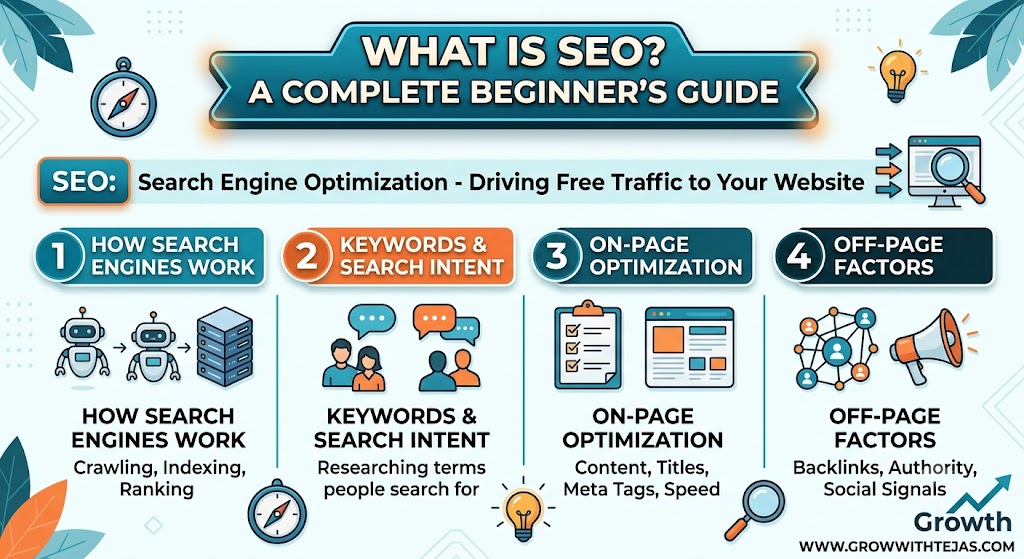
New to search engine optimization? Learn What Is SEO, how search engines rank websites, and the core strategies you need to grow your organic traffic on Grow With Tejas.
Imagine opening a store in the middle of a bustling city, but forgetting to put up a sign or list your address on any map. No matter how great your products are, nobody is going to find you.
That is exactly what happens when you publish a website without SEO (Search Engine Optimization).
Whether you are launching a blog, an e-commerce store, or a business portfolio, understanding SEO is the single most effective way to drive consistent, free, high-quality traffic to your site. Welcome to Grow With Tejas—in this guide, we will break down SEO into simple, actionable concepts you can apply right away.
What Is SEO?
SEO stands for Search Engine Optimization. It is the process of improving your website so that search engines like Google, Bing, and Yahoo can easily understand your content and rank it higher in unpaid (organic) search results.
When people search for terms related to your industry or topic, you want your website to appear as close to the top of Page 1 as possible.
Organic vs. Paid Search Results
When you type a query into Google, the results page (SERP) is split into two main sections:
- Paid Ads: Results marked with “Sponsored” or “Ad”. Companies pay Google every time someone clicks on these links (PPC – Pay Per Click).
- Organic Results: Free listings ranked purely on relevance, authority, and quality. This is where SEO lives.
Why Is SEO So Important?
- Passive, Long-Term Traffic: Unlike social media posts that disappear after 24 hours or paid ads that stop working when your budget runs out, a high-ranking blog post can bring you traffic for months or even years.
- High Intent Audience: People using Google are actively searching for solutions. They have high intent to read, learn, or buy.
- Credibility & Trust: Users naturally trust organic search results over ads. Ranking on Page 1 signals to audience members that your site is an authoritative resource in your niche.
How Search Engines Work (In 3 Simple Steps)
Before optimizing your content, you need to understand how search engine bots process web pages:
    [ 1. Crawling ]  --->  [ 2. Indexing ]  --->  [ 3. Ranking ]
 (Discovering pages)    (Filing in library)   (Sorting by quality)
- Crawling: Search engines send out automated bots (often called “spiders” or “crawlers”) to find new and updated web content across the web.
- Indexing: Once a page is crawled, the search engine analyzes what the page is about and stores it in a giant digital library (the index).
- Ranking: When someone performs a search, Google evaluates thousands of indexed pages using complex algorithms to deliver the most relevant, high-quality results.
The 3 Core Pillars of SEO
To build a well-rounded SEO strategy, you need to focus on three main areas:
| SEO Pillar | What It Means | Examples |
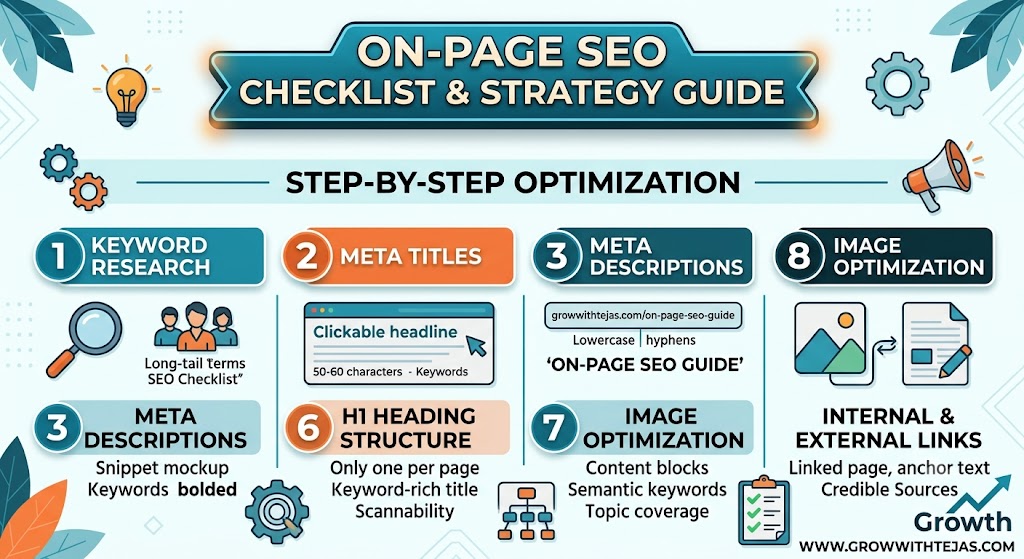
| On-Page SEO | Optimizing the content and structure on your web pages. | Target keywords, headings (H1, H2), high-quality writing, meta tags, and internal links. |
| Off-Page SEO | Actions taken outside your website to build authority. | Earning backlinks from other reputable websites, brand mentions, and social signals. |
| Technical SEO | Ensuring search engines can crawl, index, and load your site smoothly. | Site speed, mobile-friendliness, XML sitemaps, and HTTPS security. |
Step-by-Step Keyword Research for Beginners
Keywords are the exact words and phrases people type into Google. Finding the right keywords ensures you are creating content people are actively searching for.
1. Identify Your Core Topic
Start with broad terms related to your business or niche (e.g., “digital marketing”, “python programming”, “home workouts”).
2. Focus on Long-Tail Keywords
Instead of trying to rank for a hyper-competitive word like SEO, target long-tail keywords—phrases with 3 or more words that are more specific:
- Broad:
SEO - Long-Tail:
SEO tips for small business website
Long-tail keywords have lower search volume, but they are easier to rank for and attract visitors with clear intent.
3. Use Free Keyword Research Tools
- Google Keyword Planner (Free with a Google Ads account)
- Google Search Console (Tracks queries bringing traffic to your site)
- Google Auto-suggest & “People Also Ask” (Great for content ideas)
- Ubersuggest / AnswerThePublic (Helpful for beginner keyword discovery)
Beginner’s SEO Checklist for Your Next Post
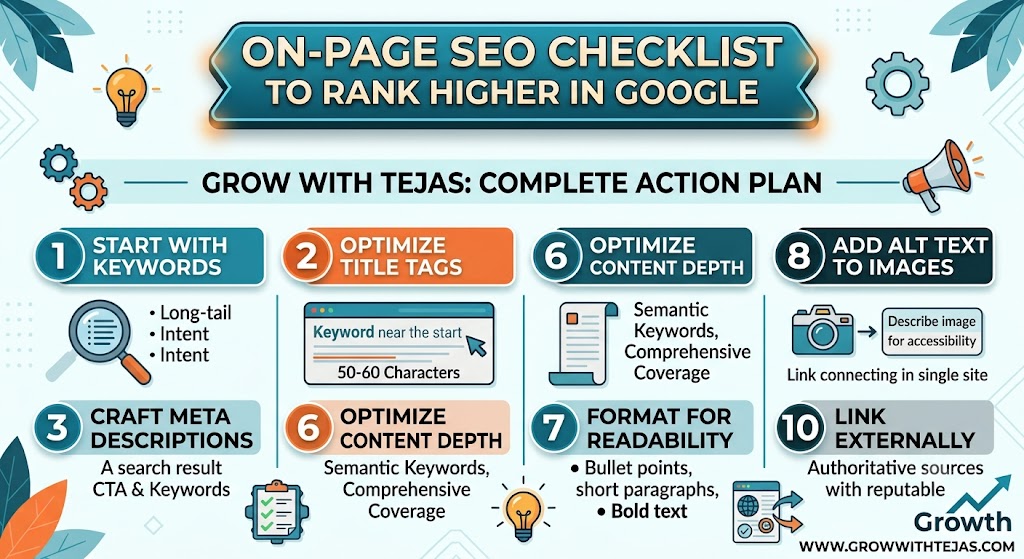
Before you hit publish on your website, run through this quick optimization checklist:
- [ ] Include Your Primary Keyword in the H1 title, the URL slug, and the first 100 words of your article.
- [ ] Write a Compelling Meta Title & Description that entices users to click from search results.
- [ ] Use Clear Headings (H2, H3) to break up long text and make content easy to scan.
- [ ] Add Alt Text to Images describing what the image shows for accessibility and image search ranking.
- [ ] Link Internally to 2–3 other relevant pages on your own website.
- [ ] Ensure Fast Loading Speeds by compressing images before uploading.
Final Thoughts: SEO Is a Marathon, Not a Sprint
The most important thing to remember about SEO is that results take time. Unlike paid ads that bring instant traffic, organic rankings typically build over 3 to 6 months as Google recognizes your site’s quality and authority.
Focus on creating helpful, detailed content that genuinely solves your reader’s problems, and the search rankings will naturally follow.