
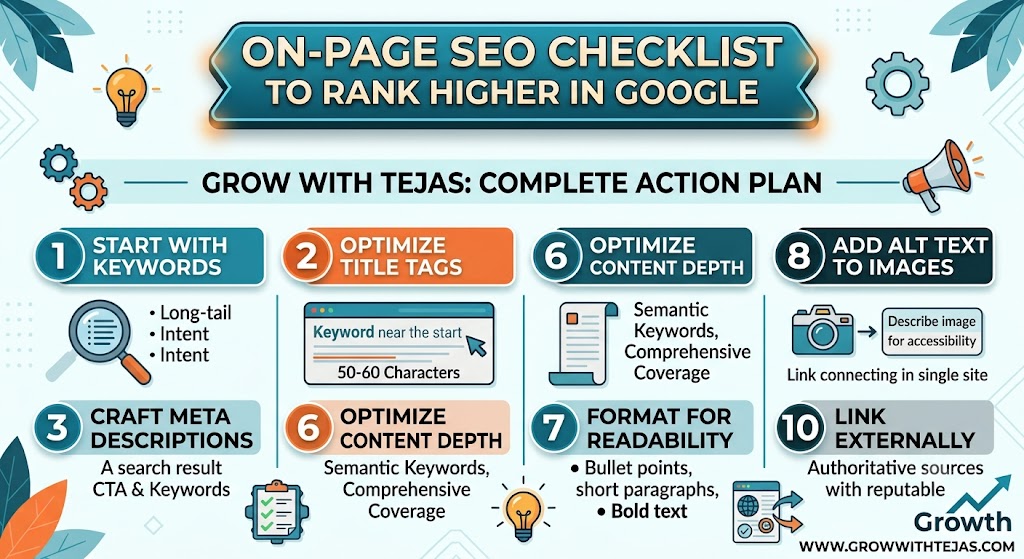
Learn the ultimate on-page SEO checklist to improve your Google rankings. Discover proven optimization techniques for titles, keywords, content, images, internal links, Core Web Vitals, and more.
On-Page SEO Checklist to Rank Higher in Google
If you’ve published high-quality content but your website still isn’t ranking on Google, the issue may not be your content—it could be your on-page SEO.
On-page SEO is the process of optimizing individual web pages so that search engines can better understand your content and users can enjoy a better experience. When done correctly, it increases your chances of appearing on the first page of Google.
In this guide, you’ll learn a complete On-Page SEO Checklist that can significantly improve your website’s visibility in search results.
What Is On-Page SEO?
On-page SEO refers to all the optimizations you make within your webpage, including:
- Content
- HTML tags
- Images
- URLs
- Internal links
- User experience
- Page speed
Unlike off-page SEO (backlinks), on-page SEO is fully under your control.
Complete On-Page SEO Checklist
1. Perform Keyword Research First
Every page should target one primary keyword.
Example:
Primary Keyword:
On-Page SEO Checklist
Secondary Keywords:
- SEO checklist
- On-page optimization
- Google ranking tips
- SEO best practices
- Website optimization
- Search engine optimization
Use keyword research tools like Google Keyword Planner, Ahrefs, SEMrush, or Ubersuggest.
2. Place the Primary Keyword in the Title
Your title should:
- Include your main keyword
- Stay under 60 characters
- Be compelling
Example:
On-Page SEO Checklist: 20 Proven Ways to Rank Higher
3. Write an SEO-Friendly URL
Good URL:
yourwebsite.com/on-page-seo-checklist
Avoid:
yourwebsite.com/post?id=12345
Use:
- lowercase letters
- hyphens
- short URLs
4. Optimize the Meta Description
Your meta description should:
- Be 150–160 characters
- Include the keyword
- Encourage clicks
Example:
“Discover the ultimate On-Page SEO Checklist to improve your Google rankings with practical optimization tips.”
5. Use Only One H1 Heading
Each page should contain one H1.
Example:
On-Page SEO Checklist to Rank Higher
Then use H2 and H3 headings for sections.
6. Add Keywords Naturally
Never stuff keywords.
Instead:
- Use synonyms
- Use related terms
- Write naturally
Google understands context better than ever.
7. Create High-Quality Content
Google rewards content that:
- Solves problems
- Answers questions
- Is original
- Is detailed
- Is easy to understand
Aim for comprehensive articles that fully address the search intent.
8. Optimize Images
Every image should have:
- Descriptive filename
- ALT text
- Compressed size
- Proper dimensions
Example:
Filename:
on-page-seo-checklist.jpg
ALT:
“On-page SEO checklist for higher Google rankings”
9. Improve Page Speed
Fast websites rank better.
Tips:
- Compress images
- Enable browser caching
- Use a CDN
- Minify CSS and JavaScript
- Use fast hosting
- Reduce unnecessary plugins
10. Make Your Website Mobile-Friendly
Google uses mobile-first indexing.
Ensure:
- Responsive design
- Readable fonts
- Clickable buttons
- Fast mobile loading
11. Add Internal Links
Internal links help Google understand your site structure.
Example:
If this article discusses AI tools, link to:
- How to Use ChatGPT for Everyday Productivity
- 25 Best AI Tools for Small Business Owners
- ChatGPT vs Gemini: Which AI Assistant Is Better?
Internal linking also keeps users engaged longer.
12. Add External Links
Link to trusted sources when relevant.
Examples:
- Google Search Central
- PageSpeed Insights
- Schema.org
This can improve credibility.
13. Use Short Paragraphs
Large text blocks reduce readability.
Keep paragraphs to:
- 2–4 lines
- Clear headings
- Bullet lists
- Tables where useful
14. Optimize for Featured Snippets
Answer questions directly.
Example:
What is On-Page SEO?
On-page SEO is the practice of optimizing content, HTML elements, images, internal links, and page experience to improve rankings in search engines.
15. Add FAQ Section
Google often displays FAQ-rich results.
Example questions:
- What is on-page SEO?
- Does keyword density matter?
- How long should meta descriptions be?
- Are internal links important?
- What is the ideal URL structure?
16. Use Schema Markup
Helpful schema types include:
- Article
- FAQ
- Breadcrumb
- Organization
Schema helps search engines better understand your content.
17. Improve User Experience (UX)
Google measures:
- Time on page
- Bounce rate
- User engagement
Improve UX by:
- Clear navigation
- Fast loading
- Readable typography
- Helpful visuals
- Easy-to-scan layouts
18. Optimize for Core Web Vitals
Focus on:
- Largest Contentful Paint (LCP)
- Interaction to Next Paint (INP)
- Cumulative Layout Shift (CLS)
Improving these metrics enhances user experience and supports SEO performance.
19. Keep Content Updated
Refresh older articles by:
- Adding new statistics
- Updating screenshots
- Improving headings
- Including current information
- Removing outdated details
Fresh content can maintain or improve rankings.
20. Include a Strong Call-to-Action
Encourage readers to take the next step.
Examples:
- Subscribe to our newsletter
- Read related SEO guides
- Share the article
- Contact us for digital marketing assistance
Quick On-Page SEO Checklist
| Task | Status |
|---|---|
| Keyword Research | ✅ |
| SEO Title | ✅ |
| Meta Description | ✅ |
| Clean URL | ✅ |
| One H1 | ✅ |
| H2/H3 Headings | ✅ |
| Keyword Optimization | ✅ |
| Internal Links | ✅ |
| External Links | ✅ |
| Image ALT Text | ✅ |
| Page Speed | ✅ |
| Mobile Friendly | ✅ |
| Schema Markup | ✅ |
| FAQ Section | ✅ |
| Core Web Vitals | ✅ |
| Updated Content | ✅ |
| Call-to-Action | ✅ |
Common On-Page SEO Mistakes
Avoid these errors:
- Keyword stuffing
- Duplicate content
- Missing ALT text
- Broken internal links
- Slow-loading pages
- Non-responsive design
- Thin content
- Duplicate title tags
- Missing meta descriptions
- Overly long URLs
Final Thoughts
On-page SEO is one of the most effective ways to improve your website’s visibility in search engines. By following this checklist—optimizing keywords, content, page speed, mobile usability, images, internal linking, and user experience—you can build pages that are both search-engine friendly and valuable to readers.
Remember that SEO is an ongoing process. Regularly audit your content, monitor performance, and update pages to stay competitive as search algorithms evolve.
At GrowWithTejas.com, we’re committed to helping entrepreneurs, bloggers, and businesses grow with practical digital marketing, SEO, and AI insights.
Frequently Asked Questions
1. What is on-page SEO?
On-page SEO is the optimization of individual webpages, including content, HTML elements, images, and user experience, to improve search engine rankings.
2. How is on-page SEO different from off-page SEO?
On-page SEO focuses on factors you control within your website, while off-page SEO involves external signals such as backlinks and brand mentions.
3. How many keywords should I target per page?
Target one primary keyword supported by several closely related secondary keywords that naturally fit the topic.
4. Does page speed affect SEO?
Yes. Faster-loading pages improve user experience and can positively influence search rankings.
5. Why are internal links important?
Internal links help search engines discover related content and encourage visitors to explore more pages on your site.
6. What is the ideal title tag length?
Aim for 50–60 characters to reduce the chance of truncation in search results.
7. Should every image have ALT text?
Yes. Descriptive ALT text improves accessibility and helps search engines understand image content.
8. What are Core Web Vitals?
Core Web Vitals measure loading performance, responsiveness, and visual stability, all of which contribute to a better user experience.
9. How often should I update SEO content?
Review important pages every 6–12 months or sooner if the topic changes quickly.
10. Is on-page SEO enough to rank on Google?
Strong on-page SEO is essential, but the best results come from combining it with quality backlinks, technical SEO, and valuable content.
11. Can AI help with on-page SEO?
Yes. AI tools can assist with keyword research, content outlines, meta descriptions, optimization suggestions, and content audits, but human review is essential.
12. Does URL structure matter for SEO?
Yes. Short, descriptive URLs that include the primary keyword are easier for users and search engines to understand.
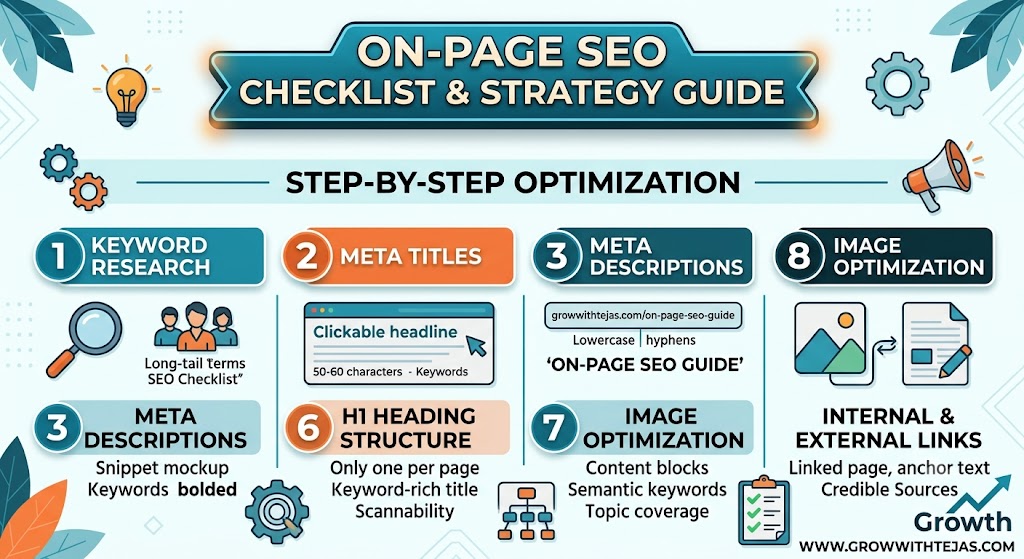
Master On-Page SEO for your website. Learn how to optimize titles, headings, URL structure, images, and content depth to rank Read more
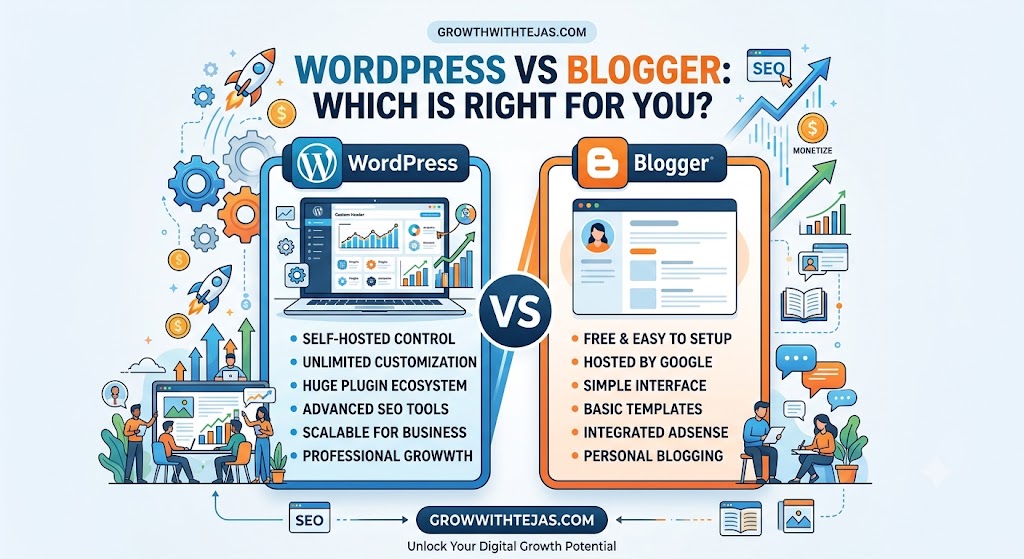
When starting a new website or blog, picking the right platform is the single most important decision you will make. Read more
Master On-Page SEO for your website. Learn how to optimize titles, headings, URL structure, images, and content depth to rank Read more
When starting a new website or blog, picking the right platform is the single most important decision you will make. Read more