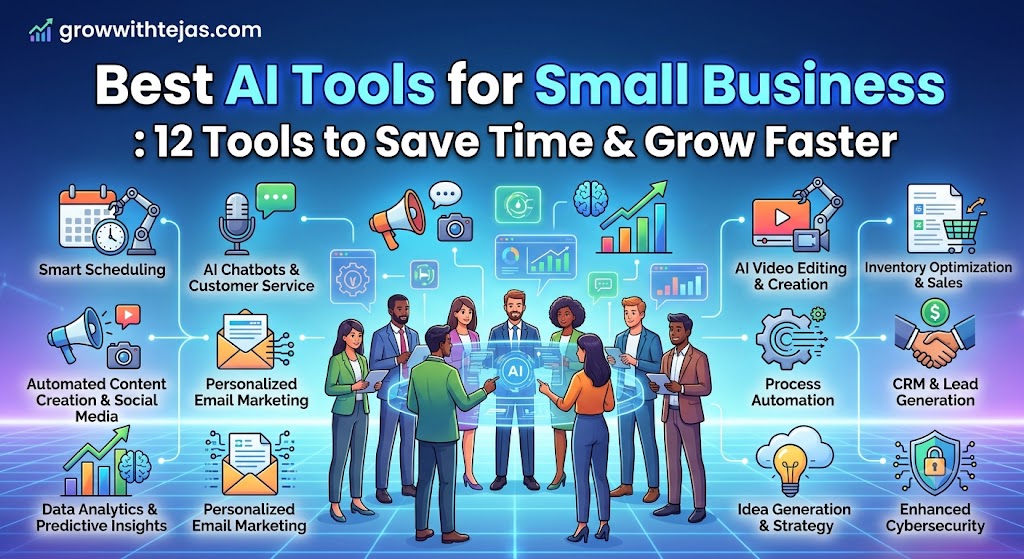
Best AI Tools for Small Business : 12 Tools to Save Time & Grow Faster
Running a small business often means doing the work of five different people.
One minute you’re replying to customers. The next, you’re creating social media posts, preparing invoices, writing emails, researching competitors, updating your website, or trying to figure out where your next customer will come from.
This is exactly where AI can help.
The best AI tools for small business are no longer limited to generating a few paragraphs of text. Today’s AI tools can help you automate repetitive work, create marketing content, analyze business data, design graphics, manage customers, organize projects, and improve productivity.
The challenge is choosing the right tools without paying for ten different subscriptions you barely use.
In this guide, we’ll look at some of the best AI tools for small businesses in 2026, what each one is useful for, and how to build a simple AI stack that actually saves you time.
Why Should Small Businesses Use AI Tools?
Large companies usually have separate teams for marketing, sales, design, analytics, operations, and customer support.
Small businesses rarely have that luxury.
AI allows a small team—or even a solo founder—to increase its output without immediately hiring additional employees.
For example, you can use AI to:
- Write emails and marketing copy
- Create social media content
- Research competitors
- Generate business ideas
- Summarize meetings and documents
- Design graphics
- Automate repetitive administrative work
- Analyze spreadsheets and reports
- Improve customer support
- Organize tasks and internal knowledge
AI adoption among entrepreneurs is already significant. OpenAI reported that at least four million people in the United States used ChatGPT in March 2026 to help plan, start, operate, or grow a business.
The key isn’t using AI everywhere.
It’s identifying repetitive work that consumes your time and using AI to reduce that workload.
12 Best AI Tools for Small Business in 2026
1. ChatGPT – Best Overall AI Assistant for Small Businesses
If you’re going to start with only one AI tool, ChatGPT is one of the most versatile options available.
Small business owners can use ChatGPT for everything from brainstorming marketing campaigns to analyzing business information.
What can small businesses use ChatGPT for?
You can use it to:
- Write blog posts
- Create social media captions
- Draft sales emails
- Research new markets
- Analyze spreadsheets
- Create customer personas
- Brainstorm product ideas
- Summarize documents
- Create SOPs
- Prepare proposals
- Generate marketing strategies
- Answer business questions
For teams, ChatGPT Business provides a shared business workspace with administrative controls, centralized billing, and access to features including Projects, GPTs, Deep Research, Company Knowledge and other business capabilities.
OpenAI also states that business workspace data isn’t used to train its models by default.
Best for:
Entrepreneurs, agencies, consultants, freelancers, startups and almost any small business looking for a general-purpose AI assistant.
2. Canva – Best AI Tool for Small Business Design
Professional design used to require either design skills or a professional designer.
Canva dramatically lowered that barrier, and its AI tools make creating business visuals even easier.
Canva’s Magic Studio brings several AI-powered creation features together within its design platform.
Small businesses can use Canva to create:
- Instagram posts
- Facebook ads
- YouTube thumbnails
- Presentations
- Flyers
- Business cards
- Infographics
- Product promotions
- Reels
- Website graphics
Canva also offers tools designed specifically for small and medium businesses, including brand management, collaborative design, creative analytics, and AI-assisted content creation.
Best for:
Local businesses, coaches, creators, ecommerce stores, agencies and businesses without an in-house designer.
3. Claude – Best AI Tool for Long Documents and Analysis
Claude is another powerful AI assistant that is particularly useful when working with large amounts of text.
For example, you could upload:
- A lengthy business report
- Customer research
- Meeting transcripts
- Contracts
- Marketing documents
- Strategy documents
Then ask Claude to summarize, analyze or reorganize the information.
Claude can also help with writing, brainstorming, research, coding and business planning.
Best for:
Consultants, researchers, content teams and businesses that regularly work with long documents.
4. HubSpot Breeze – Best AI Tool for CRM and Sales
Generating leads is only half the battle.
You also need a system for managing those leads and converting them into customers.
HubSpot combines CRM, sales, marketing and customer service tools, while its Breeze AI capabilities bring AI into many of those workflows.
Businesses can use AI-powered CRM capabilities for tasks such as:
- Customer communication
- Lead management
- Sales prospecting
- Content creation
- Customer service
- Marketing campaigns
Best for:
B2B companies, agencies, service businesses and small businesses with an active sales pipeline.
5. Zapier – Best AI Tool for Business Automation
One of the biggest benefits of AI isn’t content creation.
It’s automation.
Zapier connects different business applications so that repetitive work can happen automatically.
Imagine this workflow:
A customer fills out a form on your website.
Zapier automatically:
- Adds the lead to your CRM.
- Sends the information to your sales spreadsheet.
- Creates a follow-up task.
- Generates an AI-powered personalized email.
- Notifies your team.
Instead of manually copying information between applications, the workflow happens automatically.
Best for:
Businesses using several different software tools and wanting to reduce repetitive administrative work.
6. Notion AI – Best AI Tool for Business Knowledge and Productivity
Important business information often ends up scattered everywhere.
Some of it is in Google Docs.
Some is in Slack.
Some is inside spreadsheets.
And some exists only in your head.
Notion helps businesses create a central workspace for:
- Projects
- SOPs
- Meeting notes
- Content calendars
- Business documentation
- Tasks
- Company knowledge
AI can then help summarize, rewrite, organize and retrieve that information.
Best for:
Startups, remote teams, agencies and small businesses that need better internal organization.
7. Google Workspace With Gemini – Best for Businesses Using Google
If your business already lives inside Gmail, Docs, Sheets and Google Meet, using AI within the same ecosystem can be convenient.
Gemini can assist with tasks such as:
- Drafting emails
- Summarizing documents
- Working with spreadsheets
- Brainstorming content
- Preparing meeting notes
- Creating presentations
This reduces the need to constantly copy information from one application into another.
Best for:
Businesses already using Google Workspace.
8. Microsoft Copilot – Best for Microsoft 365 Users
Businesses using Word, Excel, PowerPoint, Outlook and Teams may prefer Microsoft Copilot.
Instead of introducing another standalone productivity platform, Copilot works alongside Microsoft’s existing business applications.
It can help with tasks such as:
- Drafting documents
- Analyzing Excel data
- Summarizing emails
- Preparing presentations
- Reviewing meetings
- Finding information
Best for:
Businesses that already depend heavily on Microsoft 365.
9. Grammarly – Best AI Writing Assistant for Business Communication
AI can generate an entire email for you, but sometimes you simply want to improve something you’ve already written.
That’s where Grammarly is particularly useful.
It can help improve:
- Grammar
- Sentence clarity
- Tone
- Business emails
- Proposals
- Website copy
- Customer communication
For a small business, even simple writing improvements can make communication look more professional.
Best for:
Freelancers, consultants, sales teams and anyone who regularly communicates with customers.
10. Perplexity – Best AI Tool for Quick Research
Traditional Google searches often require opening five or ten different tabs before you find what you’re looking for.
AI-powered research tools such as Perplexity can accelerate the early stages of research by combining information and linking back to sources.
Small businesses can use it for:
- Competitor research
- Industry research
- Market trends
- Product comparisons
- Content research
- Understanding unfamiliar topics
You should still verify important business decisions against primary sources, but AI research tools can dramatically speed up initial exploration.
Best for:
Entrepreneurs, marketers, consultants and content creators.
11. Otter.ai – Best AI Tool for Meeting Notes
How many times have you had a good idea during a meeting and forgotten it afterward?
AI meeting assistants solve this problem by recording, transcribing and summarizing conversations.
Instead of having one person manually take notes, tools such as Otter.ai can help capture:
- Meeting transcripts
- Key discussion points
- Action items
- Follow-ups
That can be especially useful for sales calls and customer interviews.
Best for:
Agencies, sales teams, consultants and remote businesses with frequent meetings.
12. QuickBooks AI Features – Best for Small Business Finance
Financial administration can consume a surprising amount of time.
Accounting platforms increasingly use AI and automation to help business owners understand transactions and financial information.
For a small business, accounting software can help with areas such as:
- Expense tracking
- Financial reporting
- Invoicing
- Cash-flow visibility
- Transaction organization
AI shouldn’t replace your accountant or financial professional where expert judgment is necessary, but it can reduce the administrative burden surrounding everyday finances.
Best for:
Freelancers, service businesses and small companies managing their own bookkeeping.
Best AI Tools for Small Business by Use Case
You don’t need every AI tool on this list.
A better approach is choosing tools based on the problem you want to solve.
| Business Need | AI Tool to Consider |
|---|---|
| General business assistant | ChatGPT |
| Graphic design | Canva |
| Research | Perplexity |
| Long document analysis | Claude |
| CRM and sales | HubSpot |
| Automation | Zapier |
| Project management | Notion AI |
| Google productivity | Gemini |
| Microsoft productivity | Copilot |
| Writing improvement | Grammarly |
| Meeting notes | Otter.ai |
| Accounting | QuickBooks |
How to Choose the Best AI Tools for Your Small Business
Before subscribing to another AI platform, ask yourself these five questions.
1. What repetitive task takes most of my time?
Start there.
If writing emails consumes several hours every week, use AI for email writing.
If social media creation is the bottleneck, focus on Canva and an AI writing assistant.
If you’re constantly moving information between applications, automation may produce a bigger return.
2. Does the tool integrate with software I already use?
An AI tool becomes far more valuable when it fits your existing workflow.
You shouldn’t have to rebuild your entire business around the latest AI product.
3. How much time will it actually save?
A ₹2,000-per-month tool that saves ten hours of work may be inexpensive.
A ₹500 tool that you never use is expensive.
Measure value based on time saved and business outcomes—not simply subscription price.
4. Is my business information protected?
Be careful when uploading confidential customer information, financial information, contracts or proprietary data to AI systems.
Review the provider’s privacy, security and data-use policies before using AI with sensitive business information.
5. Can one tool replace multiple tools?
Small businesses don’t need a massive AI stack.
In many cases, one strong general-purpose AI platform plus two or three specialist applications will cover most workflows.
A Simple AI Stack for Small Businesses
If you’re just getting started, you could keep things simple.
AI assistant
Use ChatGPT or Claude for brainstorming, writing, analysis and problem-solving.
Design
Use Canva for social media posts, presentations and marketing graphics.
Organization
Use Notion, Google Workspace or Microsoft 365, depending on where your business already operates.
Automation
Add Zapier once you identify repetitive workflows worth automating.
Sales
Add HubSpot when you have enough leads that managing them manually becomes inefficient.
This is often better than signing up for fifteen specialized AI tools.
How Small Businesses Can Use AI: Practical Examples
Here are a few simple workflows.
Local restaurant
AI can help generate:
- Social media captions
- Festival promotions
- Customer review responses
- Menu descriptions
- Email campaigns
Canva can then turn those ideas into promotional graphics.
Digital marketing agency
AI can help:
- Research competitors
- Generate campaign ideas
- Draft ad copy
- Analyze marketing reports
- Prepare client proposals
- Summarize meetings
Automation tools can move leads between forms, spreadsheets and CRM software.
Ecommerce business
AI can help write:
- Product descriptions
- FAQ answers
- Advertising copy
- Email campaigns
- Social posts
AI can also help analyze customer feedback to discover repeated complaints or product requests.
Freelancer
A freelancer could use AI to:
- Draft proposals
- Create client questionnaires
- Research prospects
- Write follow-up emails
- Create invoices
- Plan content
- Improve portfolio copy
The result isn’t necessarily fewer working hours.
It can also mean spending more of those hours on the work that directly generates revenue.
Common Mistakes Small Businesses Make With AI
Buying too many AI tools
The AI industry moves quickly, and it’s easy to suffer from tool FOMO.
Avoid subscribing to every new product.
Start with a clear business problem first.
Publishing AI content without editing
AI-generated content isn’t automatically good content.
Review important material for:
- Accuracy
- Originality
- Tone
- Brand consistency
- Real examples
- Useful insights
AI should accelerate your thinking—not eliminate it.
Automating bad processes
Automation doesn’t fix an inefficient process.
It simply makes the inefficient process happen faster.
Simplify the workflow first, then automate it.
Sharing confidential information carelessly
Always understand how a platform handles your data before uploading sensitive customer or business information.
Are AI Tools Worth It for Small Businesses?
For many small businesses, yes—but only when they’re tied to a real workflow.
The value of AI isn’t that it can generate impressive-looking text.
The real benefit is leverage.
A business owner can research faster.
A marketer can create more campaigns.
A salesperson can spend less time on administrative tasks.
A designer can produce variations more quickly.
A small team can operate with capabilities that previously required a much larger workforce.
The companies that benefit most from AI probably won’t be the ones using the largest number of tools.
They’ll be the businesses that identify a handful of repetitive, expensive tasks and use AI to perform them more efficiently.
Final Thoughts: Which AI Tool Should You Start With?
If you’re completely new to AI, don’t build a complicated technology stack.
Start with one versatile tool such as ChatGPT and use it consistently for a few weeks.
Identify which business tasks AI handles well.
Then add specialist tools where you see a genuine bottleneck.
For many businesses, a simple combination like:
ChatGPT + Canva + your existing productivity software + one automation tool
will provide significantly more value than subscribing to a dozen different AI platforms.
The best AI tools for small business aren’t necessarily the most advanced ones.
They’re the tools that save you time, reduce repetitive work and allow you to focus more energy on customers and growth.
Frequently Asked Questions
What are the best AI tools for small business?
Some of the best AI tools for small businesses include ChatGPT for general business tasks, Canva for design, Zapier for automation, HubSpot for CRM and sales, Notion AI for productivity, Perplexity for research and Otter.ai for meeting notes.
What is the best free AI tool for small businesses?
ChatGPT, Canva and several other AI platforms offer free access or entry-level plans. The best option depends on whether you need help with writing, research, design, automation or another business task.
How can a small business use AI?
Small businesses can use AI for content creation, customer support, research, marketing, sales emails, data analysis, meeting summaries, design, automation and internal documentation.
Can AI help grow a small business?
Yes. AI can help businesses increase productivity, improve marketing output, reduce administrative work and analyze information faster. However, AI works best when paired with strong business strategy and human decision-making.
Is ChatGPT useful for small businesses?
Yes. Small businesses can use ChatGPT for marketing, writing, customer research, business planning, data analysis, documentation and many other everyday tasks. OpenAI also offers business-focused workspaces and tools for organizations.