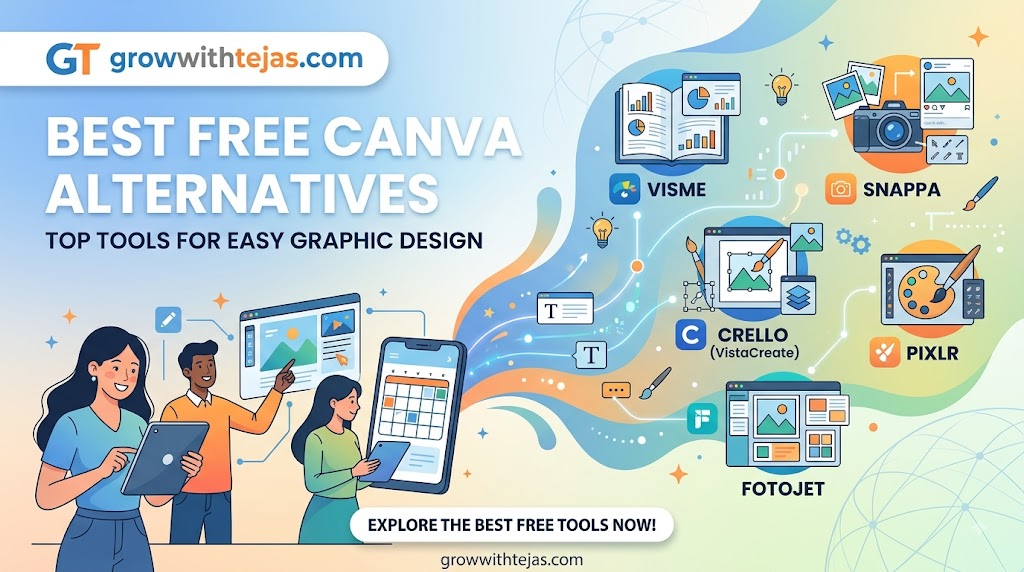
Best Free Canva Alternatives in 2026: Top Tools for Easy Graphic Design
Canva has become one of the most popular graphic design tools for creating social media posts, presentations, posters, thumbnails, resumes, and marketing materials.
Its simple drag-and-drop interface makes graphic design accessible even if you have no professional design experience.
But Canva isn’t the only option.
Maybe the free version doesn’t include a feature you need. Perhaps you’re looking for different templates, better photo-editing capabilities, AI-powered tools, or simply want to explore other platforms.
Whatever the reason, there are several excellent free Canva alternatives worth considering.
In this guide, we’ll look at some of the best free Canva alternatives in 2026, what each platform is best suited for, and how to choose the right design tool for your needs.
Why Look for a Canva Alternative?
Canva is a powerful platform, but no design tool is perfect for everyone.
You might want an alternative because you need:
- Different templates and design styles
- More advanced photo editing
- Better vector design capabilities
- AI-assisted design features
- A different user interface
- More control over individual design elements
- Tools designed specifically for presentations
- Better integration with your existing workflow
The good news is that many Canva competitors offer free plans, allowing you to test different platforms before spending money.
10 Best Free Canva Alternatives
Here’s a quick overview of the tools covered in this guide.
| Canva Alternative | Best For | Free Option |
|---|---|---|
| Adobe Express | Social media graphics | Yes |
| VistaCreate | Social media content | Yes |
| Figma | UI and collaborative design | Yes |
| Pixlr | Online photo editing | Yes |
| Photopea | Photoshop-style editing | Yes |
| Desygner | Marketing graphics | Yes |
| Snappa | Quick social graphics | Yes |
| Venngage | Infographics | Yes |
| Visme | Presentations and visual content | Yes |
| Google Slides | Simple presentations and graphics | Yes |
Let’s take a closer look at each option.
1. Adobe Express
Adobe Express is one of the most obvious Canva alternatives, particularly for people who want to create professional-looking social media and marketing graphics quickly.
The platform provides templates for content such as Instagram posts, flyers, posters, videos, invitations, and promotional materials.
Its interface is beginner-friendly, so you don’t need extensive experience with professional Adobe applications to get started.
Key Features
- Ready-made design templates
- Social media graphics
- Basic photo editing
- Video creation tools
- Text effects
- Background removal features
- Adobe ecosystem integration
Best For
Adobe Express is particularly useful for creators, marketers, small businesses, and people already familiar with Adobe products.
Adobe Express vs Canva
Canva offers a very broad template ecosystem, while Adobe Express can be appealing if you want access to Adobe’s creative ecosystem and editing tools.
Best choice for: Content creators and marketers who want a polished Canva alternative.
2. VistaCreate
VistaCreate is another strong alternative for people who primarily create social media content.
Previously known as Crello, the platform provides thousands of templates for digital marketing and social media designs.
You can create Instagram posts, Facebook graphics, Pinterest content, YouTube thumbnails, advertisements, posters, and animated designs.
Key Features
- Drag-and-drop editor
- Social media templates
- Animated designs
- Stock assets
- Background removal tools
- Brand-related design features
- Video editing options
Best For
VistaCreate works particularly well for social media managers, bloggers, small businesses, and digital marketers.
VistaCreate vs Canva
The overall experience is similar to Canva, making VistaCreate one of the easier alternatives to learn if you’re already comfortable with Canva.
Best choice for: Creating social media graphics quickly.
3. Figma
Figma is different from most Canva alternatives on this list.
Instead of focusing primarily on social media graphics, Figma is widely used for interface design, website mockups, prototypes, and collaborative design projects.
However, it can also be used for presentations, social graphics, diagrams, and other visual projects.
Key Features
- Browser-based design
- Real-time collaboration
- UI and UX design
- Prototyping
- Components
- Plugins
- Community resources
Best For
Figma is an excellent option for designers, developers, product teams, startups, and anyone interested in UI/UX design.
Figma vs Canva
Choose Canva when you want templates and quick marketing designs.
Choose Figma when you need more control over layouts, interfaces, components, or collaborative product design.
Best choice for: UI/UX designers and collaborative teams.
4. Pixlr
Pixlr is a browser-based image editor that’s particularly useful when your work involves editing photographs rather than building template-based designs.
It provides tools for cropping, resizing, adjusting images, applying effects, working with layers, and creating visual content.
Key Features
- Online photo editor
- Image resizing
- Filters and effects
- Layers
- AI-assisted editing tools
- Background editing
- Browser-based access
Best For
Pixlr is useful for bloggers, photographers, content creators, and marketers who frequently edit images.
Pixlr vs Canva
Canva is generally better for template-based design.
Pixlr can be more suitable when the main task involves editing and manipulating individual photographs.
Best choice for: Quick online photo editing.
5. Photopea
Photopea is one of the most interesting free Canva alternatives if you’re looking for advanced image editing.
Its interface resembles traditional professional photo-editing software and supports layer-based workflows.
You can use Photopea directly through a web browser without installing a desktop application.
Key Features
- Layer-based editing
- PSD support
- Masks
- Filters
- Selection tools
- Vector graphics
- Browser-based editing
Best For
Photopea is ideal for people who need more advanced image-editing controls than template-based platforms typically provide.
Photopea vs Canva
These platforms solve different problems.
Canva makes creating polished graphics easier for beginners.
Photopea provides much more detailed control over individual images and layers.
Best choice for: Advanced image editing without expensive desktop software.
6. Desygner
Desygner is a graphic design platform aimed at individuals and businesses that need to create marketing materials without complicated design software.
It offers templates for social posts, advertisements, presentations, flyers, business cards, and other visual content.
Key Features
- Drag-and-drop editing
- Marketing templates
- Social media graphics
- PDF editing options
- Brand-focused tools
- Mobile accessibility
Best For
Desygner can work well for entrepreneurs, small businesses, marketers, and people creating regular promotional content.
Desygner vs Canva
Both platforms focus heavily on making design accessible to non-designers.
Desygner is worth testing if you like Canva’s overall concept but want a different interface or workflow.
Best choice for: Small-business marketing materials.
7. Snappa
Snappa focuses on making online graphic design quick and straightforward.
Instead of providing an extremely complicated editing environment, the platform is designed around common marketing requirements such as social posts, blog graphics, advertisements, and headers.
Key Features
- Ready-made templates
- Social media sizes
- Stock photos and graphics
- Simple drag-and-drop editing
- Text and visual effects
- Quick resizing options
Best For
Snappa is useful for bloggers, social media managers, and marketers who prioritize speed.
Snappa vs Canva
Canva offers a broader ecosystem and more content types.
Snappa’s strength is its relatively straightforward approach to creating common online graphics.
Best choice for: Bloggers and marketers who need quick graphics.
8. Venngage
If you primarily create infographics, Venngage deserves consideration.
The platform specializes in transforming information and data into visually engaging designs.
It provides templates for infographics, reports, diagrams, presentations, charts, and other data-focused content.
Key Features
- Infographic templates
- Charts and graphs
- Reports
- Data visualization
- Icons
- Business templates
- Presentation designs
Best For
Venngage can be useful for marketers, teachers, students, business professionals, and content creators who regularly present information visually.
Venngage vs Canva
Canva can create infographics, but Venngage is more specifically focused on information design and data visualization.
Best choice for: Infographics and visual reports.
9. Visme
Visme combines elements of graphic design, presentation software, and data visualization.
You can use it for presentations, infographics, reports, charts, social graphics, and other business-oriented visual content.
Key Features
- Presentation templates
- Infographics
- Charts and graphs
- Interactive content
- Marketing materials
- Data visualization
- Business-focused templates
Best For
Visme is particularly useful for professionals, educators, marketers, and businesses creating presentations or information-heavy designs.
Visme vs Canva
Canva is excellent for general-purpose design.
Visme becomes particularly interesting when your work involves presentations, reports, or data-driven visual communication.
Best choice for: Business presentations and visual storytelling.
10. Google Slides
Google Slides probably isn’t the first tool that comes to mind when searching for free Canva alternatives.
However, don’t underestimate it.
You can use Google Slides to create presentations, simple social graphics, diagrams, banners, worksheets, PDFs, and basic marketing materials.
Its biggest advantage is simplicity and collaboration.
Key Features
- Completely browser-based
- Real-time collaboration
- Presentation templates
- Shapes and diagrams
- Image insertion
- Easy sharing
- Google Workspace integration
Best For
Google Slides works well for students, teachers, businesses, remote teams, and anyone primarily creating presentations.
Google Slides vs Canva
Canva provides significantly more design templates and creative assets.
Google Slides is particularly convenient when collaboration and presentation creation matter more than advanced design features.
Best choice for: Simple collaborative presentations.
Which Is the Best Free Canva Alternative?
There isn’t one Canva alternative that’s best for everyone.
Your ideal choice depends on what you’re creating.
For social media graphics: Adobe Express or VistaCreate
For UI/UX design: Figma
For photo editing: Pixlr
For advanced image editing: Photopea
For marketing graphics: Desygner or Snappa
For infographics: Venngage
For presentations and reports: Visme
For simple collaborative presentations: Google Slides
If you’re unsure, start by testing two or three platforms that match your main use case.
Most have enough free functionality to determine whether you like the workflow before considering a paid plan.
Canva Alternatives for Social Media
If most of your work involves Instagram, Facebook, LinkedIn, Pinterest, or other social networks, prioritize platforms with ready-made social media dimensions and templates.
Strong options include:
- Adobe Express
- VistaCreate
- Snappa
- Desygner
The biggest consideration is speed.
A good social media design tool should allow you to move from an idea to a publishable graphic without spending an hour adjusting every element.
Canva Alternatives for Photo Editing
Canva provides convenient photo-editing features, but dedicated image editors can give you greater control.
Consider:
Pixlr for relatively quick browser-based image editing.
Photopea when you need more advanced layer-based editing.
If your workflow mostly involves improving existing images rather than creating designs from templates, these tools may be more suitable than Canva.
Canva Alternatives for Students
Students don’t necessarily need complicated professional design software.
For presentations and group projects, Google Slides can be sufficient.
For attractive presentations, posters, and visual assignments, Adobe Express can be useful.
For students learning UI/UX or digital product design, Figma is worth exploring.
Choose the platform based on the assignment rather than automatically choosing the tool with the most features.
Canva Alternatives for Small Businesses
Small businesses commonly need:
- Social media posts
- Promotional banners
- Flyers
- Presentations
- Advertisements
- Product graphics
- Simple videos
Adobe Express, VistaCreate, Desygner, and Visme can all be worth considering depending on your workflow.
Before choosing a platform, think about who will actually create the designs.
If several employees without design experience will use it, ease of use may matter more than advanced functionality.
How to Choose the Right Canva Alternative
Before moving to another platform, consider these factors.
1. Your Primary Use Case
What do you create most often?
Social graphics, presentations, photographs, infographics, websites, and videos can require very different tools.
2. Ease of Use
A powerful application isn’t necessarily useful if you spend hours learning basic features.
If you’re a beginner, prioritize simplicity.
3. Free Plan Limitations
“Free” doesn’t always mean every feature is available without payment.
Check whether the features, templates, exports, storage, and assets you actually need are included in the current free plan.
4. Templates
Templates can dramatically reduce design time.
If you’re producing content frequently, examine the quality and variety of templates before committing to a platform.
5. Collaboration
For teams, look for commenting, sharing, permissions, and real-time collaboration.
6. Export Options
Make sure the platform supports the formats you regularly need.
7. AI Features
AI is becoming increasingly common in design platforms.
Depending on your workflow, features such as image generation, background removal, automatic resizing, or AI-assisted layouts may save considerable time.
However, AI shouldn’t be the only reason you choose a design platform. The core editor still needs to fit your workflow.
Are Free Canva Alternatives Really Free?
Many of the platforms mentioned here operate on a freemium model.
That means you can use certain features for free while advanced tools, premium templates, additional storage, AI usage, or other functionality may require a paid subscription.
Free-plan features can also change over time.
Before building your entire workflow around a platform, check its current pricing page and confirm that the features you need are included.
Frequently Asked Questions
What is the best free alternative to Canva?
Adobe Express and VistaCreate are among the closest alternatives for general graphic design and social media content. However, the best choice depends on your requirements.
Is there a completely free Canva alternative?
Some tools provide substantial functionality without payment, while others use freemium models. Photopea and Google Slides can be particularly useful for certain tasks without requiring the same type of design subscription.
What is better than Canva for photo editing?
If detailed photo editing is your priority, Photopea or Pixlr may provide a more suitable workflow than a template-focused design platform.
What is the best Canva alternative for social media?
Adobe Express, VistaCreate, Snappa, and Desygner are all worth exploring for social media graphics.
What is the best Canva alternative for UI design?
Figma is a much stronger choice when your primary goal is UI/UX design, website interfaces, app mockups, and prototypes.
Can I create professional designs without Canva?
Yes.
The tool is only part of the process. Good typography, spacing, hierarchy, imagery, consistency, and understanding your audience matter more than which platform you use.
Final Thoughts
Canva is an excellent graphic design platform, but it isn’t your only option.
The best free Canva alternative depends on what you actually want to create.
If you mainly need social media graphics, start with Adobe Express or VistaCreate. For advanced photo editing, explore Photopea or Pixlr. If you’re interested in UI/UX design, Figma is the stronger option. For infographics and business presentations, Venngage or Visme may be more appropriate.
Instead of searching endlessly for the “perfect” design tool, choose two or three options that fit your workflow and test them yourself.
Ultimately, the best design platform is the one that helps you create high-quality content quickly, consistently, and without unnecessary complexity.