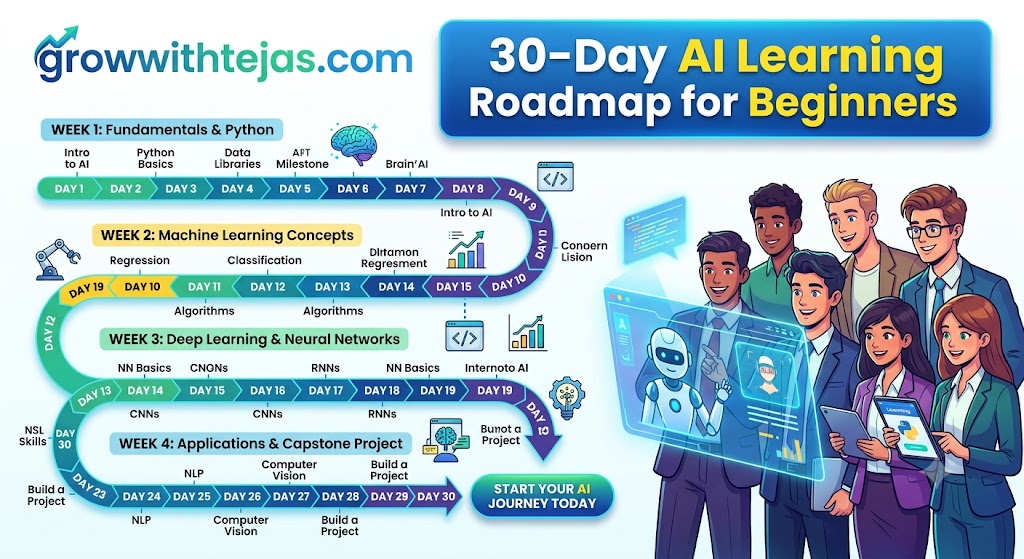
30-Day AI Learning Roadmap for Beginners (2026 Guide)
Artificial Intelligence is no longer something only researchers, data scientists, or big tech companies need to understand.
AI is already changing how we work, study, write, code, design, research, market products, analyze data, and build businesses. Tools powered by AI can help you complete tasks faster, automate repetitive work, and even create applications that would previously have required an entire technical team.
But there is one problem.
If you’re a beginner, where do you actually start learning AI?
You might open YouTube and find hundreds of tutorials. Then you hear terms such as machine learning, neural networks, LLMs, ChatGPT, APIs, RAG, AI agents, embeddings, Python, transformers, and prompt engineering.
Suddenly, learning AI feels much more complicated than it needs to be.
That’s why I’ve created this 30-Day AI Learning Roadmap for Beginners.
The goal isn’t to turn you into an AI researcher in 30 days. Instead, you’ll build a strong understanding of modern AI, learn how to use today’s AI tools effectively, understand the technology behind them, and create your first practical AI projects.
You don’t need an advanced technical background to begin.
You need 30 days, curiosity, and roughly 60–90 minutes of focused learning each day.
What You’ll Learn in These 30 Days
By the end of this roadmap, you should understand:
- What AI, Machine Learning, Deep Learning, Generative AI, and LLMs actually mean
- How tools like ChatGPT and other AI assistants work at a practical level
- How to write much better AI prompts
- The basics of Python for AI
- How APIs allow applications to communicate with AI models
- What embeddings, vector databases, and RAG are
- What AI agents are and how AI automation works
- How to build simple AI-powered projects
- How to continue learning AI after the 30-day challenge
More importantly, you’ll stop being someone who simply uses AI tools and start understanding how to build and experiment with AI-powered systems.
Week 1: Understand the AI Fundamentals
Goal: Build a strong foundation before worrying about coding or complicated AI terminology.
Day 1: Understand What Artificial Intelligence Actually Is
Start with the most basic question:
What is AI?
Artificial Intelligence is a broad field focused on creating computer systems capable of performing tasks that normally require human intelligence.
Examples include:
- Understanding language
- Recognizing images
- Making predictions
- Solving problems
- Generating text
- Generating images
- Making recommendations
- Planning tasks
Don’t spend your first day memorizing definitions.
Instead, look around your daily life and identify where AI is already being used.
Examples might include search engines, recommendation systems, spam filters, voice assistants, navigation apps, AI chatbots, and photo-editing tools.
Today’s task
Write down 10 examples of AI that you encounter in everyday life.
For each one, ask:
What problem is AI solving here?
That question will help you develop an AI-builder mindset.
Day 2: AI vs Machine Learning vs Deep Learning
These terms are often used interchangeably, but they’re not the same thing.
Think of them like this:
Artificial Intelligence → Machine Learning → Deep Learning
Artificial Intelligence is the broadest concept.
Machine Learning (ML) is a subset of AI where computers learn patterns from data instead of being explicitly programmed for every situation.
For example, instead of creating thousands of rules for identifying spam emails, you can train a machine-learning model using examples of spam and legitimate emails.
Deep Learning is a subset of machine learning that uses neural networks with many layers to learn complex patterns.
Deep learning powers many modern applications involving:
- Computer vision
- Speech recognition
- Language models
- Generative AI
Today’s task
Make sure you can explain these three terms in your own words:
AI → Machine Learning → Deep Learning
If you can explain them to someone with no technical background, you’ve understood the basics.
Day 3: Learn About Generative AI
Traditional AI systems often focus on classification, prediction, or recommendation.
Generative AI goes further.
It can create new content.
For example:
| AI Type | Example Task |
|---|---|
| Traditional ML | Predict whether a transaction is fraudulent |
| Computer Vision | Identify objects inside an image |
| Recommendation AI | Recommend a movie |
| Generative AI | Write an article |
| Generative AI | Generate an image |
| Generative AI | Create computer code |
Modern generative AI systems can produce:
- Text
- Images
- Audio
- Video
- Code
- Presentations
- Documents
Spend today’s learning session experimenting with several generative AI tasks.
Today’s task
Ask an AI assistant to:
- Explain a difficult topic
- Summarize something
- Generate an idea
- Analyze information
- Create a small piece of content
Notice how differently the model behaves depending on your instructions.
Day 4: Understand Large Language Models
Large Language Models, commonly called LLMs, power many modern AI assistants.
At a simplified level, an LLM learns patterns from enormous amounts of text and uses those patterns to predict and generate sequences of tokens.
One important beginner insight is this:
An LLM isn’t simply searching a database and copying an answer.
It generates responses based on patterns represented in the model and the context it receives.
Learn these basic concepts today:
- Tokens
- Training
- Inference
- Context window
- Parameters
- Hallucinations
- Temperature
- System instructions
You don’t need to understand the mathematics yet.
Focus on developing an intuitive understanding.
Day 5: Learn Prompt Engineering
The quality of your AI results often depends heavily on the quality of your instructions.
Compare:
Write about digital marketing.
with:
Explain five digital marketing strategies for a beginner launching an online clothing store. Include the estimated difficulty, cost, and expected time before seeing results.
The second prompt provides significantly more useful context.
A practical prompt framework is:
Role + Goal + Context + Constraints + Output Format
For example:
You are an experienced content strategist. Create a 30-day content calendar for a beginner fitness coach building an audience on Instagram. Target people aged 20–35 who want simple home workouts. Provide the result as a table containing the day, topic, hook, format, and CTA.
Today’s task
Take five simple prompts and rewrite them using the framework above.
This single skill can dramatically improve how effectively you use AI.
Day 6: Learn the Limitations of AI
Learning AI isn’t only about understanding what it can do.
You also need to understand what it cannot reliably do.
AI models can:
- Hallucinate information
- Produce outdated information
- Misinterpret ambiguous instructions
- Make reasoning mistakes
- Generate convincing but incorrect answers
- Reflect limitations or biases in their data
- Mishandle sensitive information if used carelessly
This means you shouldn’t blindly copy AI-generated information.
Develop the habit of asking:
Can I verify this?
For important decisions involving health, law, money, security, or other high-stakes areas, verification becomes especially important.
Day 7: Review and Build Your AI Glossary
You’ve completed your first week.
Instead of learning another topic today, consolidate everything you’ve learned.
Create a document called:
My AI Glossary
Add simple explanations for:
- Artificial Intelligence
- Machine Learning
- Deep Learning
- Generative AI
- LLM
- Token
- Prompt
- Context window
- Training
- Inference
- Hallucination
Don’t copy textbook definitions.
Write each definition in your own words.
Week 1 milestone: You should now be able to explain modern AI to a complete beginner.
Week 2: Learn the Technical Foundations
Goal: Understand enough programming and technical concepts to start building with AI.
Day 8: Start Learning Python
Python is one of the most popular programming languages for AI and machine learning.
Fortunately, you don’t need to master Python before experimenting with AI.
Start with:
- Variables
- Strings
- Numbers
- Lists
- Dictionaries
- Boolean values
- Basic input and output
Example:
name = "Tejas"
days_learning_ai = 8

print(f"{name} has been learning AI for {days_learning_ai} days.")
Run small programs instead of only watching tutorials.
Programming is learned by doing.
Day 9: Learn Conditions and Loops
Today, learn how programs make decisions.
Focus on:
ifelifelseforloopswhileloops
Example:
score = 80

if score >= 70:
    print("Great progress!")
else:
    print("Keep learning!")
Then learn loops:
topics = ["AI", "Machine Learning", "LLMs", "Prompt Engineering"]

for topic in topics:
    print(topic)
Today’s task
Build a simple program that asks someone about their AI experience and recommends what they should learn next.
Day 10: Learn Python Functions
Functions allow you to organize and reuse your code.
Example:
def create_prompt(topic):
    return f"Explain {topic} to a complete beginner."

prompt = create_prompt("machine learning")

print(prompt)
Learn:
- Function definitions
- Parameters
- Return values
- Scope at a basic level
You don’t need advanced Python yet.
Your objective is simply to become comfortable reading and modifying code.
Day 11: Understand APIs
This is one of the most important concepts for anyone interested in building AI applications.
An API (Application Programming Interface) allows different software systems to communicate.
Imagine you’re building an AI writing application.
Your application might:
User input → Your application → AI API → AI model → Response → User
Instead of training your own language model, your application can send requests to an existing AI model through an API.
Learn these concepts:
- API
- Request
- Response
- Endpoint
- API key
- JSON
- Authentication
Understanding APIs opens the door to building real AI applications.
Day 12: Make Your First AI API Call
Now connect your Python knowledge with an AI API.
Your goal today isn’t to build something complicated.
Simply create a program that:
- Takes a user’s question
- Sends it to an AI model
- Receives the response
- Displays the answer
Conceptually:
Question
   ↓
Python application
   ↓
AI API
   ↓
AI model
   ↓
Response
Important: Never hard-code or publicly expose your API keys. Learn how environment variables are used to protect credentials.
Once you’ve successfully made an API request, you’ve crossed an important milestone.
You’re no longer only using AI.
You’re starting to build with AI.
Day 13: Learn Basic Git and GitHub
If you plan to build projects, you should understand basic version control.
Learn what these terms mean:
- Git
- Repository
- Commit
- Push
- Pull
- Branch
- README
You don’t need advanced Git commands yet.
Learn enough to create a repository and save your AI projects there.
This will also help you gradually build a public AI portfolio.
Day 14: Build Your First Mini AI Project
It’s project day.
Create something simple.
Possible projects include:
- AI email writer
- AI text summarizer
- AI study assistant
- AI blog-title generator
- AI social-media caption generator
- AI interview-question generator
Don’t worry about making the interface beautiful.
A basic command-line application is perfectly fine.
Week 2 milestone: You should now understand basic Python, APIs, and how a simple AI application communicates with an AI model.
Week 3: Understand How Modern AI Applications Work
Goal: Move beyond basic prompting and learn the architecture behind useful AI applications.
Day 15: Understand Embeddings
Embeddings sound complicated, but the basic idea is surprisingly simple.
An embedding represents information as numbers in a way that helps computers compare meaning.
For example, concepts such as:
dog → puppy → pet
would generally be semantically closer than:
dog → accounting
Embeddings are useful for:
- Semantic search
- Recommendation systems
- Document search
- RAG applications
- Similarity matching
You don’t need to understand the underlying mathematics yet.
Understand why embeddings exist and what problems they solve.
Day 16: Learn About Vector Databases
Once information has been converted into embeddings, you need somewhere to store and retrieve them efficiently.
That’s where vector databases and vector-search systems come in.
A simplified flow looks like:
Documents
    ↓
Split into chunks
    ↓
Create embeddings
    ↓
Store vectors
    ↓
Search by similarity
Focus on understanding:
- Vectors
- Similarity search
- Semantic search
- Document chunks
- Metadata
These concepts become important when building AI systems that work with your own data.
Day 17: Understand RAG
RAG stands for Retrieval-Augmented Generation.
It is one of the most useful concepts in modern AI application development.
Imagine you have 500 company documents.
Instead of expecting an AI model to already know their contents, your application can:
- Receive the user’s question
- Search the documents
- Retrieve relevant information
- Send that information to the AI model
- Generate an answer using the retrieved context
Conceptually:
User Question
      ↓
Search Knowledge Base
      ↓
Retrieve Relevant Information
      ↓
Send Context + Question to LLM
      ↓
Generate Answer
RAG can be used for:
- Company knowledge assistants
- Documentation chatbots
- Customer-support systems
- Research assistants
- PDF question-answering tools
Day 18: Build a Simple Document Q&A Tool
Now turn yesterday’s concept into a project.
Build a basic application that allows someone to ask questions about a document.
For example:
Upload:
company-policy.pdf
Ask:
“What is the company’s refund policy?”
Your application retrieves the relevant section and provides it to the model as context.
Don’t worry if your first version isn’t perfect.
Your objective is to understand the pipeline.
Day 19: Learn Structured Outputs
AI responses don’t always need to be paragraphs.
Applications frequently need structured data.
For example:
{
  "topic": "Artificial Intelligence",
  "difficulty": "Beginner",
  "estimated_learning_time": "30 days"
}
Structured outputs are useful when AI results need to be:
- Stored in databases
- Displayed inside applications
- Sent to other APIs
- Used in automation workflows
- Processed by another program
Learning to reliably request and validate structured information is an important AI-development skill.
Day 20: Understand AI Agents
AI agents are one of the most discussed areas of modern AI.
A basic AI assistant responds to your request.
An agentic system can potentially decide which actions or tools are needed to complete a broader goal.
For example:
Goal
 ↓
Reason about next action
 ↓
Use a tool
 ↓
Observe result
 ↓
Choose next action
 ↓
Complete task
Tools might allow an AI system to:
- Search information
- Read files
- Query databases
- Call APIs
- Execute code
- Interact with business software
Don’t get distracted by hype around agents.
Focus on the fundamental idea:
LLM + Instructions + Tools + State/Memory + Control Logic
Day 21: Build Your Second AI Project
Choose a slightly more ambitious project.
Examples:
AI Research Assistant
Input a topic and generate:
- Important questions
- Research categories
- Summary
- Key findings
- Follow-up questions
Or build:
AI Resume Analyzer
Provide a resume and job description, then return:
- Matching skills
- Missing skills
- Suggested improvements
- Interview topics
Week 3 milestone: You should now understand embeddings, vector search, RAG, structured outputs, and the basics of AI agents.
Week 4: Build Practical AI Skills
Goal: Stop collecting tutorials and start creating useful AI systems.
Day 22: Learn AI Automation
One of AI’s biggest practical advantages is combining intelligence with automation.
Consider this workflow:
New customer inquiry
        ↓
AI classifies the message
        ↓
AI extracts important information
        ↓
CRM is updated
        ↓
Draft response is generated
        ↓
Human reviews response
Explore how AI can fit into workflows involving:
- Spreadsheets
- CRMs
- Forms
- Databases
- Calendars
- Internal business tools
Look for repetitive tasks that involve language or decision-making.
Those are often excellent candidates for AI-assisted automation.
Day 23: Learn Multimodal AI
Modern AI isn’t limited to text.
Many models can work across multiple types of information, including:
- Text
- Images
- Audio
- Documents
- Video
Experiment with multimodal tasks.
For example, provide an image and ask the model to describe important elements.
Upload a chart and ask for an explanation.
Provide a document and ask questions about its contents.
Understanding multimodal AI will help you imagine applications beyond traditional chatbots.
Day 24: Learn AI-Assisted Coding
You don’t need to write every line of code manually anymore.
AI coding assistants can help you:
- Explain code
- Debug errors
- Generate functions
- Write tests
- Refactor code
- Understand unfamiliar repositories
- Create prototypes
But avoid blindly accepting generated code.
Use AI as a coding partner, not as a replacement for understanding what your application does.
Whenever AI generates code, ask:
“Explain this code line by line and identify possible problems.”
You’ll learn much faster.
Day 25: Learn AI Safety, Privacy, and Security Basics
Before building real AI applications, understand the risks.
Pay attention to:
- Sensitive data
- Personal information
- API-key security
- Prompt injection
- Incorrect model outputs
- Data retention
- User permissions
- Human review
For example, sending confidential customer information to an external AI service without understanding its data policies can create serious privacy problems.
Responsible AI development isn’t an optional advanced topic.
It should be part of your foundation.
Day 26: Choose Your Final AI Project
Now choose one project to build over the remaining days.
Pick something useful rather than overly ambitious.
Ideas include:
AI Study Assistant
Users provide study material and ask questions about it.
AI Customer Support Assistant
Users ask questions based on company documentation.
AI Content Assistant
Generate outlines, content ideas, summaries, and social posts.
AI Research Assistant
Collect information and organize findings into structured reports.
AI Interview Coach
Generate interview questions and evaluate practice responses.
AI Document Analyzer
Extract, summarize, and categorize information from documents.
Choose one.
Building one working project teaches you more than watching another 20 tutorials.
Day 27: Design Your AI Application
Before coding, draw the application architecture.
For example:
User
 ↓
Web Interface
 ↓
Backend
 ↓
AI Model/API
 ↓
Database / Knowledge Base
 ↓
Response
Ask yourself:
- What problem does my application solve?
- Who is the user?
- What information does the user provide?
- What does the AI need to do?
- Does the application need external data?
- Does it need a database?
- What happens when the model gives a bad answer?
Planning before coding will save you considerable time.
Day 28: Build the MVP
MVP means Minimum Viable Product.
Your first version doesn’t need:
- Perfect design
- 20 features
- Complicated authentication
- Advanced animations
- A beautiful dashboard
It needs to solve one problem successfully.
Build the simplest version that works.
For example, instead of building an entire AI learning platform, build:
Upload notes → Ask question → Receive answer
That’s enough for an MVP.
Day 29: Test and Improve Your AI Project
Don’t immediately add more features.
Test what you’ve already built.
Try:
- Normal questions
- Extremely short inputs
- Long inputs
- Incorrect information
- Ambiguous requests
- Unexpected instructions
- Empty inputs
Ask other people to test your project too.
You’ll quickly discover problems you never considered.
Fix the biggest issues first.
Day 30: Publish Your Project and Create Your Next Roadmap
Congratulations — you’ve reached Day 30.
Now publish your project.
Depending on what you’ve built, you could share:
- Your GitHub repository
- A live demo
- Screenshots
- A short demo video
- A technical write-up
- A LinkedIn post explaining what you learned
Document three things:
1. What did I build?
Explain the problem and your solution.
2. What did I learn?
Write down the technologies and concepts you now understand.
3. What should I learn next?
Your next 60–90 days could focus on areas such as:
- Advanced Python
- Machine learning
- Deep learning
- LLM application development
- RAG
- AI agents
- AI automation
- AI engineering
- AI product development
Week 4 milestone: You now have practical AI knowledge and at least one project you can continue improving.
30-Day AI Learning Roadmap at a Glance
| Day | Topic | Goal |
|---|---|---|
| 1 | Artificial Intelligence | Understand AI |
| 2 | ML & Deep Learning | Understand major AI categories |
| 3 | Generative AI | Explore AI generation |
| 4 | LLMs | Understand language models |
| 5 | Prompt Engineering | Write better prompts |
| 6 | AI Limitations | Use AI responsibly |
| 7 | Review | Build your AI glossary |
| 8 | Python Basics | Start programming |
| 9 | Conditions & Loops | Understand program logic |
| 10 | Functions | Write reusable code |
| 11 | APIs | Understand AI integrations |
| 12 | AI API | Make your first model request |
| 13 | Git & GitHub | Learn version control |
| 14 | Mini Project | Build your first AI app |
| 15 | Embeddings | Understand semantic representations |
| 16 | Vector Search | Learn semantic retrieval |
| 17 | RAG | Understand retrieval-augmented generation |
| 18 | Document Q&A | Build a RAG-style project |
| 19 | Structured Outputs | Generate application-ready data |
| 20 | AI Agents | Understand agentic systems |
| 21 | AI Project | Build another practical tool |
| 22 | Automation | Connect AI to workflows |
| 23 | Multimodal AI | Work beyond text |
| 24 | AI Coding | Code with AI assistance |
| 25 | AI Safety | Understand risks |
| 26 | Final Project | Choose your project |
| 27 | Architecture | Design the system |
| 28 | MVP | Build the first version |
| 29 | Testing | Improve reliability |
| 30 | Publish | Share your work |
How Much Time Should You Spend Each Day?
You don’t need to spend eight hours a day learning AI.
For most beginners, 60–90 minutes per day is enough if you’re consistent.
A simple daily structure is:
20 minutes — Learn
Read documentation, watch a tutorial, or study a concept.
20 minutes — Experiment
Try the concept yourself.
20–40 minutes — Build
Apply what you’ve learned to a small project.
This gives you something many beginners miss:
Learning + Practice + Building
Watching tutorials alone can create the illusion of progress. Building exposes what you actually understand.
What You Should NOT Try to Learn in Your First 30 Days
AI is a huge field.
Trying to learn everything simultaneously is one of the fastest ways to become overwhelmed.
As a beginner, you don’t need to immediately master:
- Advanced calculus
- Linear algebra
- Transformer mathematics
- Training large language models from scratch
- GPU optimization
- Distributed model training
- Advanced deep-learning research
These topics matter if you eventually want to become an ML researcher or specialized AI engineer.
But they aren’t prerequisites for building useful AI applications.
Start practical.
Go deeper when your goals require it.
The Biggest Mistake Beginners Make When Learning AI
The biggest mistake isn’t choosing the wrong course.
It’s consuming without building.
You can watch 100 hours of AI tutorials and still struggle to create a basic application.
Instead, use this rule:
For every hour you spend learning AI, spend another hour experimenting or building with it.
Your first projects will probably be simple.
That’s exactly how they’re supposed to be.
A basic chatbot today can become a document assistant tomorrow, a RAG application next month, and eventually a production AI product.
Progress comes from iteration.
Do You Need Coding Skills to Learn AI?
No — not at the beginning.
You can learn:
- AI fundamentals
- Prompt engineering
- Generative AI tools
- AI workflows
- AI automation
without being an experienced programmer.
However, if your goal is to build AI applications, learning basic programming will dramatically expand what you can create.
Python is an excellent starting point because it is relatively beginner-friendly and widely used across the AI ecosystem.
You don’t need to become a Python expert first.
Learn enough Python to build something, then improve your programming skills as your projects become more ambitious.
What Should You Learn After These 30 Days?
Your next step depends on your goal.
If you want to become an AI Engineer
Focus on:
Python → APIs → LLMs → RAG → Databases → Agents → Deployment → Evaluation
If you want to learn Machine Learning
Focus on:
Python → NumPy → Pandas → Statistics → Scikit-learn → Neural Networks → PyTorch
If you want to use AI for business
Focus on:
Prompting → Automation → AI Workflows → Data Analysis → AI Agents → Business Integrations
If you want to build AI products
Focus on:
AI APIs → Full-Stack Development → Databases → RAG → Authentication → Evaluation → Deployment
Don’t choose your path because it’s currently popular.
Choose it based on what you actually want to build or accomplish with AI.
Frequently Asked Questions
Can I really learn AI in 30 days?
You cannot master the entire field of artificial intelligence in 30 days.
But you absolutely can build a strong foundation.
Thirty focused days are enough to understand the major concepts, become comfortable using AI tools, learn basic programming, experiment with APIs, and build your first AI projects.
Think of these 30 days as the beginning of your AI journey rather than the finish line.
Do I need mathematics to learn AI?
It depends on your goal.
If you want to build applications using existing AI models and APIs, you can get started without advanced mathematics.
If you eventually want to deeply understand machine learning algorithms, neural networks, or AI research, mathematics such as linear algebra, probability, statistics, and calculus becomes increasingly important.
Which programming language should beginners learn for AI?
Python is generally the best starting point.
It has a beginner-friendly syntax and a massive ecosystem of libraries and tools for data science, machine learning, automation, and AI development.
Should I learn machine learning before generative AI?
Not necessarily.
If your goal is building modern AI applications, you can begin experimenting with generative AI and APIs while gradually learning traditional machine-learning fundamentals.
If your goal is AI research or machine-learning engineering, you’ll eventually need a deeper understanding of ML, mathematics, and model training.
How many hours per day should I spend learning AI?
Aim for around 60–90 minutes of focused learning each day.
Consistency matters more than occasional marathon study sessions.
Even one focused hour per day gives you roughly 30 hours of deliberate AI learning and experimentation over a month.
Can a non-technical person follow this AI roadmap?
Yes.
The first week requires no programming experience. The roadmap gradually introduces Python and technical concepts so that you can learn by building small projects.
Don’t worry about understanding every technical detail immediately.
Your understanding will improve each time you build something.
Final Thoughts
AI is moving incredibly quickly.
New models, tools, frameworks, and techniques will continue appearing.
Trying to learn every new AI tool is impossible.
Instead, build strong fundamentals.
Understand how AI works at a practical level. Learn how to communicate effectively with models. Learn basic programming. Understand APIs. Build projects. Make mistakes. Debug them. Build again.
Thirty days from now, you don’t need to know everything about artificial intelligence.
You simply need to know far more than you know today — and have something you’ve built to prove it.
So start with Day 1.
Open a notebook, create a folder for your AI projects, and begin your 30-Day AI Learning Roadmap.
The best way to learn AI is no longer just reading about it.
It’s building with it.