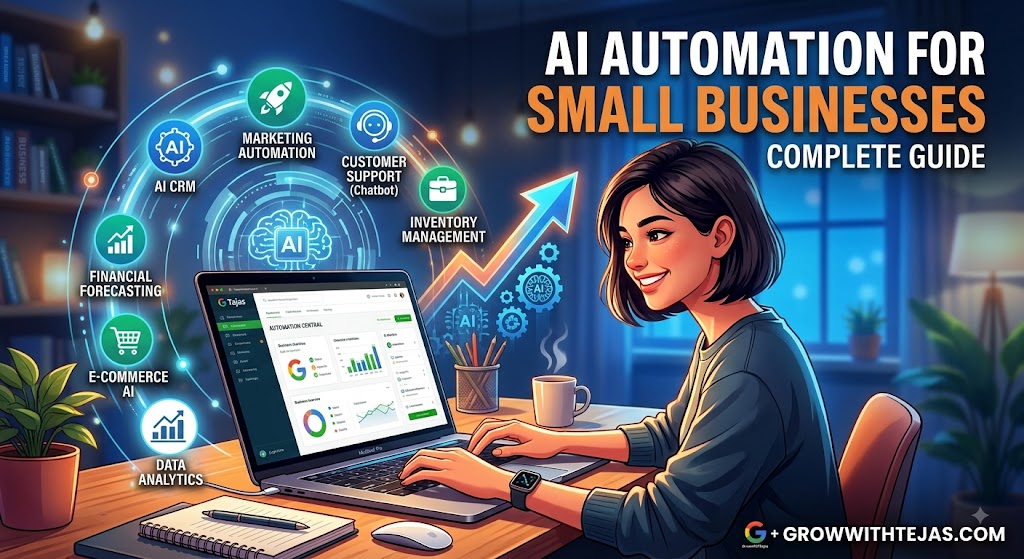
AI Automation for Small Businesses: A Complete Guide to Saving Time, Cutting Costs & Growing Faster
Running a small business often means doing the work of several people at once.
You’re answering customer enquiries, following up with leads, sending invoices, updating spreadsheets, creating marketing content, managing appointments, checking emails, and somehow still trying to find time to grow the business.
The problem isn’t always a lack of effort.
It’s that too much valuable time gets consumed by repetitive work.
That’s exactly where AI automation for small businesses can make a difference.
AI automation combines artificial intelligence with workflow automation to handle repetitive tasks, process information, communicate with customers, and move work between different business tools with less manual intervention.
And you don’t need to be a large company with an IT department to use it.
Today, small businesses can automate surprisingly sophisticated workflows using affordable AI and no-code tools.
In this guide, we’ll explore what AI automation is, where small businesses can use it, practical examples, potential costs, common mistakes, and how to start building an AI-powered business without making things unnecessarily complicated.
What Is AI Automation for Small Businesses?
AI automation for small businesses is the use of artificial intelligence and automation tools to perform repetitive business tasks, make simple decisions, process information, and trigger actions with minimal human involvement.
Traditional automation generally follows predefined rules.
For example:
If a customer submits a contact form → send a confirmation email.
AI automation can go further because AI can understand and generate natural language, summarize information, classify enquiries, extract information from documents, and decide what should happen next based on context.
A more advanced workflow might look like this:
Customer submits an enquiry → AI analyzes the message → identifies the service they’re interested in → assigns a lead priority → adds the information to the CRM → drafts a personalized response → schedules a follow-up task.
Instead of simply moving information from one place to another, AI can help interpret that information along the way.
That’s what makes modern automation significantly more useful for small businesses.
Why AI Automation Matters for Small Businesses
Large companies can hire dedicated employees for sales, customer service, marketing, administration, data entry, and operations.
Small businesses often don’t have that luxury.
The owner and a small team may handle almost everything.
As the business grows, repetitive tasks increase:
- More enquiries need responses.
- More leads require follow-ups.
- More invoices need processing.
- More customers need support.
- More appointments need scheduling.
- More data needs updating.
- More marketing content needs creating.
Hiring more people is one solution.
But before increasing headcount, businesses should ask another question:
How much of this work actually needs to be performed manually?
AI automation can remove repetitive work while allowing employees to spend more time on activities requiring judgment, relationships, creativity, and expertise.
Benefits of AI Automation for Small Businesses
1. Save Hours of Repetitive Work
One of the biggest advantages of automation is simple: time.
Consider a business receiving 30 enquiries every day.
If manually reviewing, categorizing, entering, and responding to each enquiry takes five minutes, that’s around 2.5 hours of work every day.
An automated workflow could process much of that work within minutes.
Over weeks and months, small time savings become substantial.
2. Respond to Leads Faster
Imagine two businesses receive the same enquiry.
Business A responds the following afternoon.
Business B automatically acknowledges the enquiry immediately, captures the prospect’s requirements, updates its CRM, and alerts the appropriate salesperson.
Which business is more likely to start the conversation?
Speed matters.
AI automation can help businesses respond quickly even when employees are busy, offline, or handling other customers.
3. Reduce Human Error
Repetitive administrative work creates opportunities for mistakes.
Someone may:
- forget to update the CRM;
- copy the wrong information;
- miss a follow-up;
- enter incorrect data;
- forget an appointment reminder;
- overlook an important email.
Automation creates standardized workflows where the same process happens consistently.
Humans should still review important decisions, but automation can significantly reduce routine operational mistakes.
4. Improve Customer Experience
Customers increasingly expect quick responses.
AI-powered workflows can provide:
- instant enquiry acknowledgement;
- automated appointment confirmations;
- personalized follow-ups;
- frequently asked question responses;
- order or service updates;
- customer support routing.
The goal isn’t to eliminate human interaction.
The goal is to automate the repetitive parts so humans have more time for conversations where personal attention actually matters.
5. Scale Without Immediately Increasing Headcount
Growth creates operational complexity.
If your customer base doubles, the administrative workload can increase dramatically.
Automation can help businesses absorb some of that additional workload without requiring every increase in revenue to produce an equivalent increase in manual work.
This makes operations more scalable.
12 Practical AI Automation Examples for Small Businesses
So, what can you actually automate?
Here are some of the most useful applications.
1. Lead Capture and Qualification
Many businesses manually copy website enquiries into spreadsheets or CRMs.
AI automation can handle this process automatically.
Example workflow
A potential customer submits a website form.
The automation can:
- Capture the lead details.
- Analyze the enquiry using AI.
- Identify the requested service.
- Categorize the lead.
- Assign a priority.
- Add the lead to the CRM.
- Notify the relevant salesperson.
- Send a personalized acknowledgement.
- Create a follow-up reminder.
Your sales team starts with an organized lead rather than an unstructured message sitting inside an inbox.
2. Automated Lead Follow-Ups
Many businesses don’t have a lead-generation problem.
They have a follow-up problem.
Prospects enquire, receive one response, and then disappear because nobody follows up again.
Automation can create structured follow-up sequences.
For example:
Day 0: Send initial response.
Day 2: Send useful information related to the enquiry.
Day 5: Ask whether the prospect has questions.
Day 10: Send a final follow-up.
The sequence can automatically stop if the prospect responds or books a call.
AI can also help personalize messages using information from the original enquiry.
3. AI Customer Support
Small businesses frequently receive the same questions:
“What are your prices?”
“What are your opening hours?”
“Do you provide this service?”
“How long does delivery take?”
“What’s your refund policy?”
AI-powered customer support systems can answer common questions using approved business information.
More complicated enquiries can automatically be escalated to a human.
A good system might work like this:
Customer question → AI checks company knowledge → generates response → answers straightforward questions → escalates uncertain or sensitive issues to staff.
That last step is important.
AI should assist your customer service team rather than confidently inventing answers.
4. Email Management
Inbox management can consume a surprising amount of time.
AI can help businesses:
- categorize incoming emails;
- identify urgent messages;
- summarize long conversations;
- extract important details;
- create tasks;
- route emails to team members;
- draft responses.
For example, an incoming email containing a quote request could automatically trigger a workflow that extracts the customer’s name, company, service requirement, deadline, and budget.
The information could then be added to your CRM before a salesperson even opens the message.
5. Appointment Scheduling
Service businesses spend significant time coordinating appointments.
Automation can manage much of this process.
A typical workflow could include:
Customer requests appointment → available slots are presented → customer books → calendar updates → confirmation is sent → reminder is scheduled → follow-up is triggered after appointment.
This can be especially valuable for consultants, agencies, coaches, salons, clinics, repair services, tutors, and other appointment-based businesses.
6. Invoice and Payment Reminders
Following up on unpaid invoices is necessary but rarely enjoyable.
Automation can monitor payment status and send reminders according to predefined rules.
For example:
3 days before due date: Friendly reminder.
Due date: Payment reminder.
7 days overdue: Second reminder.
14 days overdue: Alert the business owner or accounts team.
AI can help personalize the wording while automation handles the timing.
Businesses should still maintain human oversight for disputed invoices and important client relationships.
7. Review Requests
Customer reviews can strongly influence purchasing decisions, particularly for local businesses.
But many satisfied customers never leave reviews simply because nobody asks.
An automated workflow can send a review request after a successful purchase, appointment, or project.
For example:
Service completed → wait 24 hours → send thank-you message → request feedback/review.
If the customer reports a problem, the workflow can route the issue internally instead of continuing with a generic review request.
8. Social Media Content Workflows
AI can accelerate parts of the content creation process.
One blog article, webinar, podcast, or video can potentially become:
- LinkedIn posts;
- Instagram captions;
- Facebook posts;
- short-form video ideas;
- email newsletter content;
- social media snippets.
Automation can move approved content into a scheduling workflow.
However, businesses should avoid completely unattended AI publishing.
Human review remains valuable for accuracy, brand voice, timing, and reputation management.
9. Content Creation and SEO Workflows
AI automation can support content marketing without turning your website into a collection of generic AI articles.
For example:
Keyword added to content database → AI generates topic research → creates content brief → suggests headings → drafts sections → editor reviews → content enters publishing workflow.
AI can also help create:
- meta descriptions;
- title variations;
- FAQs;
- internal linking suggestions;
- social media posts;
- newsletter summaries.
The key word here is assist.
High-quality content still requires expertise, original insight, editing, fact-checking, and a clear understanding of the reader.
10. Document Processing
Businesses regularly receive documents such as:
- invoices;
- purchase orders;
- applications;
- forms;
- quotations;
- contracts;
- receipts.
AI can extract structured information from these documents.
For example:
Invoice arrives → relevant information is extracted → data is added to accounting workflow → invoice is categorized → team member receives approval request.
This reduces manual data entry.
11. Internal Reporting
Many business owners manually gather numbers from several platforms every week.
Automation can collect important metrics and create regular reports.
A weekly business report might include:
- new leads;
- qualified leads;
- sales;
- conversion rate;
- marketing performance;
- outstanding invoices;
- customer support requests;
- completed projects.
AI can then summarize the data and highlight unusual changes.
Instead of spending Monday morning collecting information, the owner starts with the information already organized.
12. Employee Onboarding
Hiring someone often triggers dozens of small administrative tasks.
Automation can create a standardized onboarding workflow.
For example:
Employee added → onboarding checklist created → documents sent → training materials shared → accounts requested → manager notified → introductory tasks scheduled.
This makes onboarding more consistent and reduces the chance of important steps being forgotten.
AI Automation by Business Type
Different businesses benefit from different workflows.
AI Automation for Local Service Businesses
Plumbers, electricians, cleaning companies, contractors, repair businesses, and other local service providers can automate:
- enquiry capture;
- quote follow-ups;
- appointment scheduling;
- appointment reminders;
- review requests;
- missed-call follow-ups;
- customer FAQs.
For many local businesses, improving enquiry response and follow-up can be more valuable than building complicated AI systems.
AI Automation for Marketing Agencies
Agencies can automate:
- lead qualification;
- client onboarding;
- campaign reporting;
- meeting summaries;
- content briefs;
- approval reminders;
- task creation;
- recurring client updates.
The objective should be reducing administrative overhead so employees can focus more heavily on strategy and creative work.
AI Automation for E-commerce Businesses
E-commerce companies can use AI automation for:
- customer support;
- abandoned-cart communication;
- product enquiries;
- order-status questions;
- customer segmentation;
- review requests;
- inventory alerts;
- post-purchase follow-ups.
AI Automation for Consultants and Coaches
Consultants can automate:
- enquiry qualification;
- discovery-call scheduling;
- reminders;
- client onboarding;
- meeting summaries;
- proposal follow-ups;
- invoice reminders;
- post-call tasks.
A streamlined workflow can create a professional client experience without requiring additional administrative staff.
AI Automation for Real Estate Businesses
Real estate professionals can use automation to:
- capture property enquiries;
- qualify prospects;
- route buyers and sellers;
- schedule viewings;
- send follow-ups;
- update CRM records;
- summarize conversations;
- nurture older leads.
Because response speed matters in lead-driven industries, this can have a direct impact on sales opportunities.
Best AI Automation Tools for Small Businesses
There isn’t one “best” automation platform for every company.
Most businesses build a technology stack using several tools.
Common categories include:
AI Assistants
AI models can help with language-based tasks such as summarization, classification, extraction, drafting, and analysis.
Workflow Automation Platforms
Platforms such as Zapier, Make, and n8n can connect different business applications and trigger workflows.
For example:
Website → AI → CRM → Email → Slack → Spreadsheet
can potentially operate as one automated process.
CRM Systems
A CRM provides a central place for customer and lead information.
Automation becomes significantly more powerful when lead activity is stored systematically instead of scattered across inboxes and spreadsheets.
Scheduling Platforms
Scheduling software can automate booking, confirmations, reminders, and calendar coordination.
Chatbots and Customer Support Platforms
These systems can combine AI with your company’s knowledge base to answer common questions and escalate complex conversations.
The right stack depends on your existing systems, budget, workflow complexity, and technical requirements.
Traditional Automation vs AI Automation
It’s useful to understand the difference.
| Traditional Automation | AI Automation |
|---|---|
| Works primarily with fixed rules | Can interpret unstructured information |
| Best for predictable processes | Useful for language-heavy processes |
| “If X happens, do Y” | Can analyze X before choosing Y |
| Requires structured inputs | Can work with emails, documents and conversations |
| Highly predictable | Requires additional monitoring and guardrails |
The strongest systems often combine both.
Use traditional automation for predictable actions and AI for tasks requiring interpretation.
How Much Does AI Automation Cost for a Small Business?
The cost varies significantly.
A simple workflow using existing software might cost relatively little.
A more sophisticated system involving several applications, custom integrations, databases, AI usage, monitoring, and ongoing optimization can require a much larger investment.
Instead of asking:
“How much does AI automation cost?”
ask:
“How much is this manual process currently costing the business?”
Suppose an employee spends 40 hours every month performing a repetitive administrative process.
If automation reduces that to five hours of review and exception handling, the business has recovered 35 hours every month.
That recovered capacity can be compared against the cost of building and operating the automation.
How to Calculate the ROI of AI Automation
You can use a simple framework:
Monthly Time Saved × Hourly Value of Time = Monthly Productivity Value
For example:
25 hours saved per month × ₹1,000/hour = ₹25,000 in monthly recovered time
Then subtract:
- automation platform costs;
- AI usage costs;
- implementation costs;
- maintenance costs.
But don’t measure automation only through hours saved.
It can also create value through:
- faster lead response;
- fewer missed opportunities;
- fewer errors;
- improved customer experience;
- better follow-up;
- higher operational capacity.
The best automation projects often improve both efficiency and revenue-generating processes.
How to Start AI Automation in Your Small Business
Don’t begin by asking:
“How can we use AI?”
Start by asking:
“What repetitive process wastes the most time in our business?”
Then follow these steps.
Step 1: List Your Repetitive Tasks
Write down everything you repeatedly do during a normal week.
Look for tasks involving:
- copying information;
- sending repetitive emails;
- updating spreadsheets;
- following up with people;
- scheduling;
- creating reports;
- categorizing enquiries;
- transferring information between apps.
Step 2: Estimate the Time Spent
Calculate approximately how much time each process consumes every month.
A task that takes only ten minutes but occurs 15 times every day may be a better automation candidate than a two-hour task performed once per month.
Step 3: Identify High-Impact Processes
A strong first automation usually has three characteristics:
High frequency + predictable process + measurable value
Good examples include:
- lead follow-up;
- appointment reminders;
- CRM updates;
- enquiry routing;
- invoice reminders;
- reporting.
Step 4: Map the Workflow
Before automating anything, document what currently happens.
For example:
Lead submits form → owner receives email → owner reads enquiry → owner adds lead to spreadsheet → owner replies → owner creates reminder.
Now you can identify which steps should be automated.
Step 5: Decide Where AI Is Actually Needed
Not every automation needs AI.
If the workflow is:
Form submitted → add row to spreadsheet
traditional automation is sufficient.
If the workflow requires:
Read enquiry → understand customer intent → categorize request → draft personalized response
AI becomes useful.
Avoid adding AI simply because it’s fashionable.
Step 6: Keep Humans in Important Decisions
Businesses should maintain human review where mistakes could have significant consequences.
Examples include:
- large financial transactions;
- legal decisions;
- sensitive customer complaints;
- hiring decisions;
- high-value quotations;
- unusual refunds;
- important client communications.
Automation should remove unnecessary work, not unnecessary judgment.
Step 7: Measure Results
After launching the automation, measure its performance.
Track metrics such as:
- hours saved;
- response time;
- number of leads processed;
- conversion rate;
- error rate;
- customer satisfaction;
- operational costs.
If you don’t measure results, it’s difficult to know whether your automation is actually helping.
Common AI Automation Mistakes Small Businesses Should Avoid
Trying to Automate Everything
The objective isn’t maximum automation.
It’s useful automation.
Some processes should remain human because personal relationships, judgment, empathy, or expertise create value.
Automating a Broken Process
Automation makes processes faster.
That includes bad processes.
Before automating a workflow, simplify it.
Remove unnecessary steps first.
Then automate what remains.
Using AI Where Simple Rules Would Work
Not every workflow needs an AI model.
If a straightforward condition can solve the problem reliably, use the straightforward condition.
AI should be introduced where interpretation or generation genuinely adds value.
Giving AI Too Much Control
Fully autonomous systems can create unexpected problems.
Use approval steps for important actions.
For example:
AI drafts proposal → employee reviews → proposal gets sent
may be safer than:
AI creates proposal → automatically sends it to customer.
Ignoring Data Privacy and Security
Automation often moves customer and business information between multiple systems.
Before connecting tools, understand:
- what information is being shared;
- where the information is stored;
- who can access it;
- how long it is retained;
- whether the provider’s policies meet your requirements.
Avoid sending unnecessary sensitive information through AI systems.
Building Complex Systems Too Early
Your first automation doesn’t need 47 steps and six AI agents.
Start with one painful process.
Automate it.
Measure it.
Improve it.
Then automate the next process.
Simple automations that work reliably are far more valuable than impressive systems nobody trusts.
Do Small Businesses Need AI Agents?
AI agents are systems designed to perform multi-step tasks with a greater degree of autonomy.
For example, an AI sales agent might:
- Receive an enquiry.
- Research available customer information.
- Qualify the prospect.
- update CRM data.
- draft an email.
- schedule follow-up activity.
AI agents can be useful, but many small businesses don’t need sophisticated agents immediately.
A well-designed workflow connecting existing business applications with a few carefully chosen AI steps can deliver significant value.
Build complexity when the business case requires it.
Not before.
What Should You Automate First?
If you’re unsure where to begin, look for a process that is:
- repetitive;
- performed frequently;
- rule-based or semi-structured;
- time-consuming;
- easy to measure;
- relatively low-risk.
For many small businesses, the best starting point is the lead management process.
Why?
Because it affects both efficiency and revenue.
A system that responds to leads faster, captures their information correctly, and ensures consistent follow-up can potentially produce far more value than an automation that simply saves a few administrative minutes.
A Simple AI Automation Example
Imagine a small digital marketing agency receives leads through its website.
Currently:
Website form → email notification → owner manually reads enquiry → copies details into CRM → writes reply → creates reminder.
An automated version could be:
Website form → AI analyzes enquiry → lead is categorized → CRM record created → personalized acknowledgement drafted/sent → salesperson notified → follow-up task created.
The owner doesn’t have to manually process every enquiry.
Instead, they focus on qualified opportunities and actual sales conversations.
That’s the real purpose of AI automation:
Give people more time for the work humans are actually valuable at.
The Future of AI Automation for Small Businesses
AI automation is moving from simple task automation toward increasingly intelligent workflows.
Over time, small businesses will be able to automate more of the operational work that previously required dedicated administrative teams.
But this doesn’t mean every business should try to remove humans from every process.
The businesses that benefit most from AI will likely combine three things:
Human expertise + AI capabilities + reliable automation.
Humans provide judgment, relationships, creativity, and accountability.
AI provides language understanding, analysis, and generation.
Automation connects the systems and makes processes happen consistently.
Together, they can allow relatively small teams to operate with capabilities that previously required much larger organizations.
Frequently Asked Questions About AI Automation for Small Businesses
What is AI automation for small businesses?
AI automation is the use of artificial intelligence combined with workflow automation to perform repetitive business tasks, process information, communicate with customers, and trigger actions with reduced manual effort.
What tasks can a small business automate with AI?
Common examples include lead qualification, customer support, email processing, appointment scheduling, CRM updates, invoice reminders, review requests, reporting, document processing, and content workflows.
Is AI automation expensive?
Not necessarily. Simple automations can be built using affordable subscription tools, while complex custom systems can cost significantly more. The right investment depends on the value of the process being automated.
Can AI automation replace employees?
AI automation is generally most valuable when it removes repetitive tasks rather than attempting to replace entire roles. Employees can then spend more time on sales, relationships, strategy, creative work, and complex decisions.
What is the best AI automation for a small business?
There is no universal answer. A good starting point is usually a repetitive, high-frequency, measurable process such as lead management, customer enquiries, appointment reminders, CRM data entry, or reporting.
Do I need coding skills to automate my business?
Not always. Many modern automation platforms provide visual or no-code workflow builders. More complicated integrations, security requirements, or custom systems may require technical expertise.
Is AI automation safe for customer data?
It can be, but businesses need to evaluate the tools they use, their data policies, access controls, integrations, and regulatory obligations. Sensitive information should not be shared unnecessarily.
What’s the difference between AI and automation?
Automation executes predefined processes, while AI can analyze, interpret, classify, or generate information. AI automation combines these capabilities so workflows can handle more complex inputs.
Final Thoughts: Start Small, Then Scale
AI automation for small businesses doesn’t need to begin with an expensive, complicated system.
Start with one question:
What repetitive task is consuming valuable time every week?
Find the answer.
Map the process.
Automate the repetitive parts.
Measure the result.
Then move on to the next bottleneck.
The biggest opportunity isn’t using AI everywhere.
It’s building a business where routine work happens automatically, important information reaches the right person at the right time, leads don’t get forgotten, customers receive faster service, and your team has more time to focus on growth.
If you’re exploring AI automation for your small business and aren’t sure which workflows are worth automating first, Grow With Tejas can help you identify high-impact automation opportunities and build practical systems around your existing business processes.
The goal isn’t automation for the sake of automation.
It’s simple:
Less repetitive work. Better systems. More time to grow.